POS BackOffice: Compliance - Assigning Patients To Queued Transactions And Reporting To Metrc
 Updated
Assigning Patients To Queued Transactions And Reporting To Metrc
Transactions can remain in Queued status within the Compliance module when a patient was not assigned to the order at the time of sale. This guide explains how to identify this issue, assign the missing patient, and successfully report the transaction to METRC.
How to Identify the Issue
- Navigate to the Compliance module.
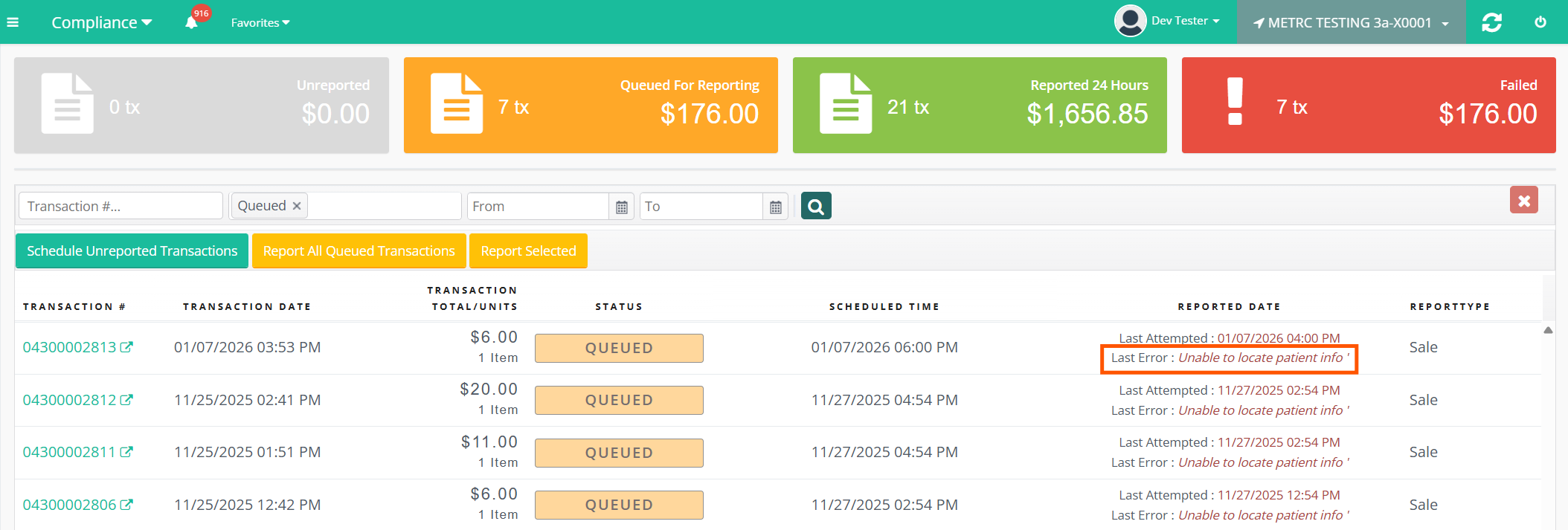
- Locate the transaction that is stuck in Queued status.
- Review the error message associated with the transaction.
If the "Last Error" message states “Unable to locate patient info”, then a patient was not assigned to the order and must be added before the transaction can report to METRC.
Open the Transaction Details
- In the Compliance module, click the teal-colored Transaction # link for the queued order.
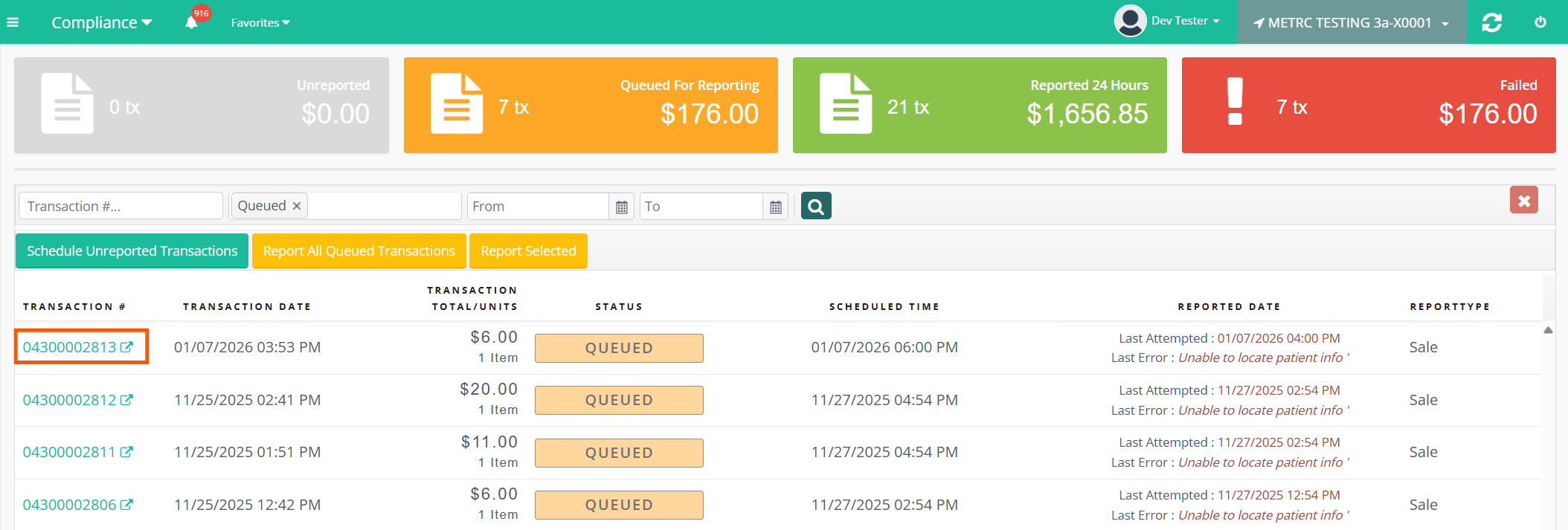
- This will open the Transaction Details page in a new browser tab.
Assign a Patient to the Order
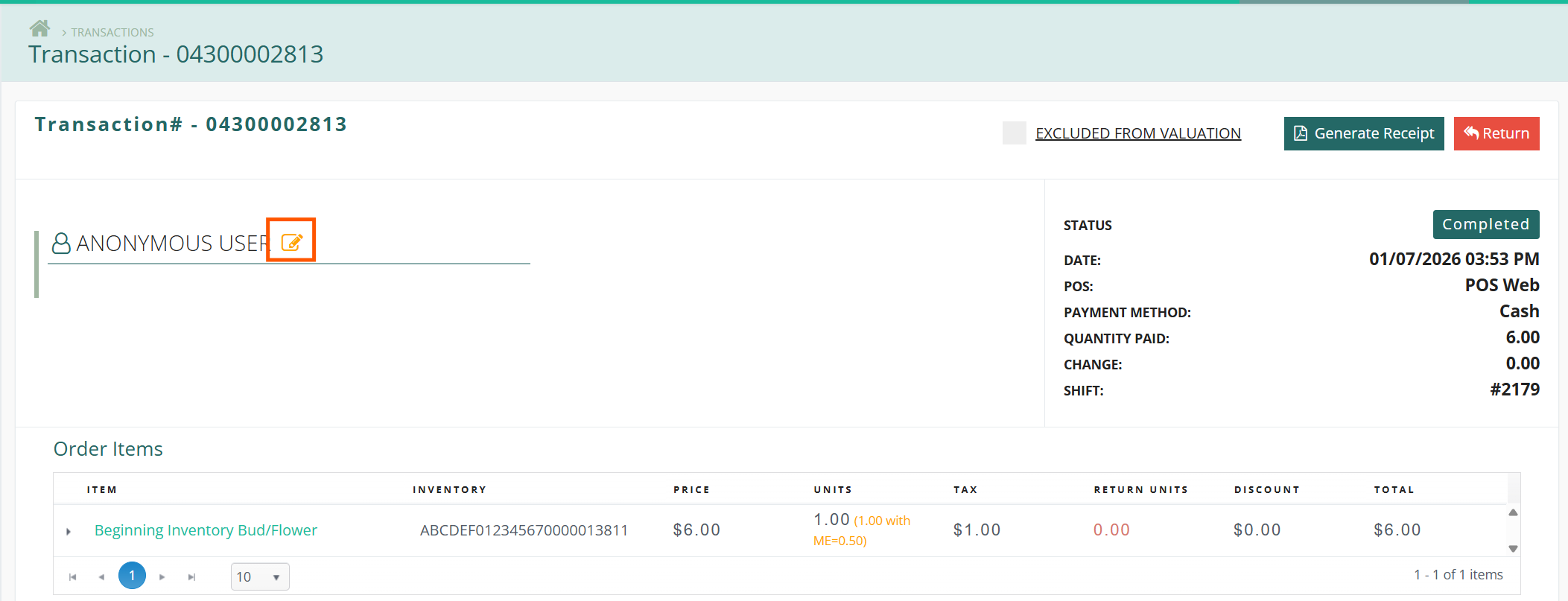
- On the Transaction Details page, locate the customer section.
- If the order is missing a patient, it will display “Anonymous User.”
- Select the yellow edit icon next to the name.
- Begin typing the patient’s name to search.
- Select the correct patient from the results to assign them to the transaction.
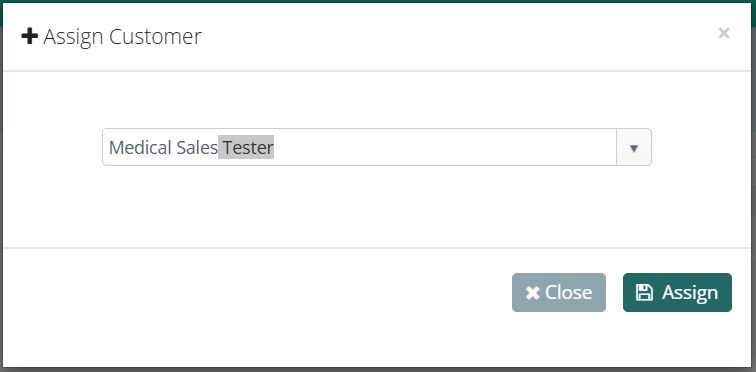
Once complete, the patient will be saved to the order.
Return to the Compliance Module
- Navigate back to the Compliance module.
- Locate the queued transaction using one of the following filters:
- Transaction #, or
- Status = Queued
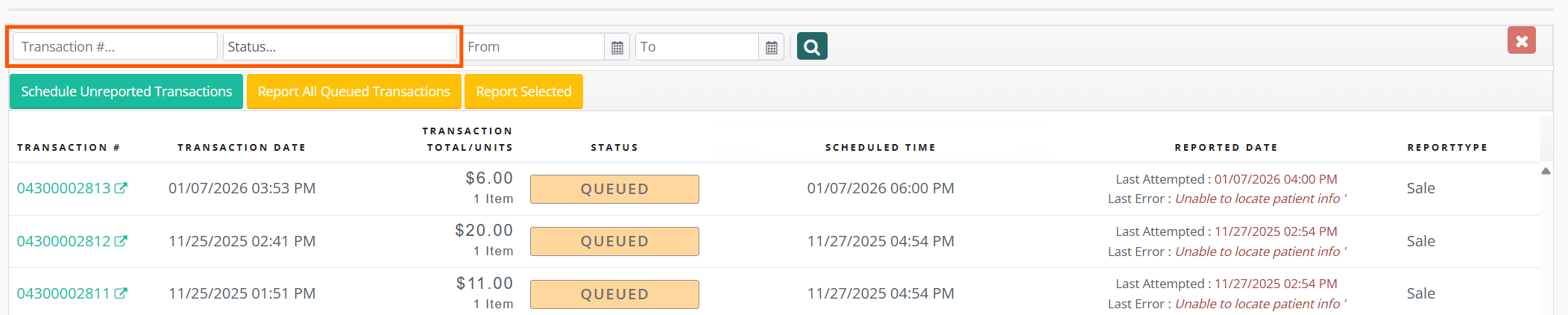
Report the Transaction to METRC
- Click anywhere within the transaction row except the Transaction # link to highlight the order.
- With the transaction highlighted, click the Report Selected button.

- A Reporting Complete success message will appear.
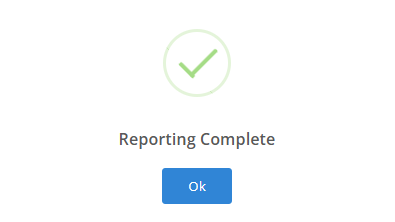
The transaction has now been successfully reported to METRC.
Transactions stuck in Queued status with the error “Unable to locate patient info” require a patient to be assigned. Assigning the patient and re-reporting the transaction will resolve the issue observed in the queued transaction error message. This process ensures accurate compliance reporting to METRC.
