PRO: Inventory Management - Attaching Multiple COAs to QA Results
 Updated
Attaching Multiple COAs to QA Results
Once a COA PDF has been attached to a QA Result, you'll be able to send it to recipients via the "Email Invoice > Include COAs" on Fulfillment > Order Detail.
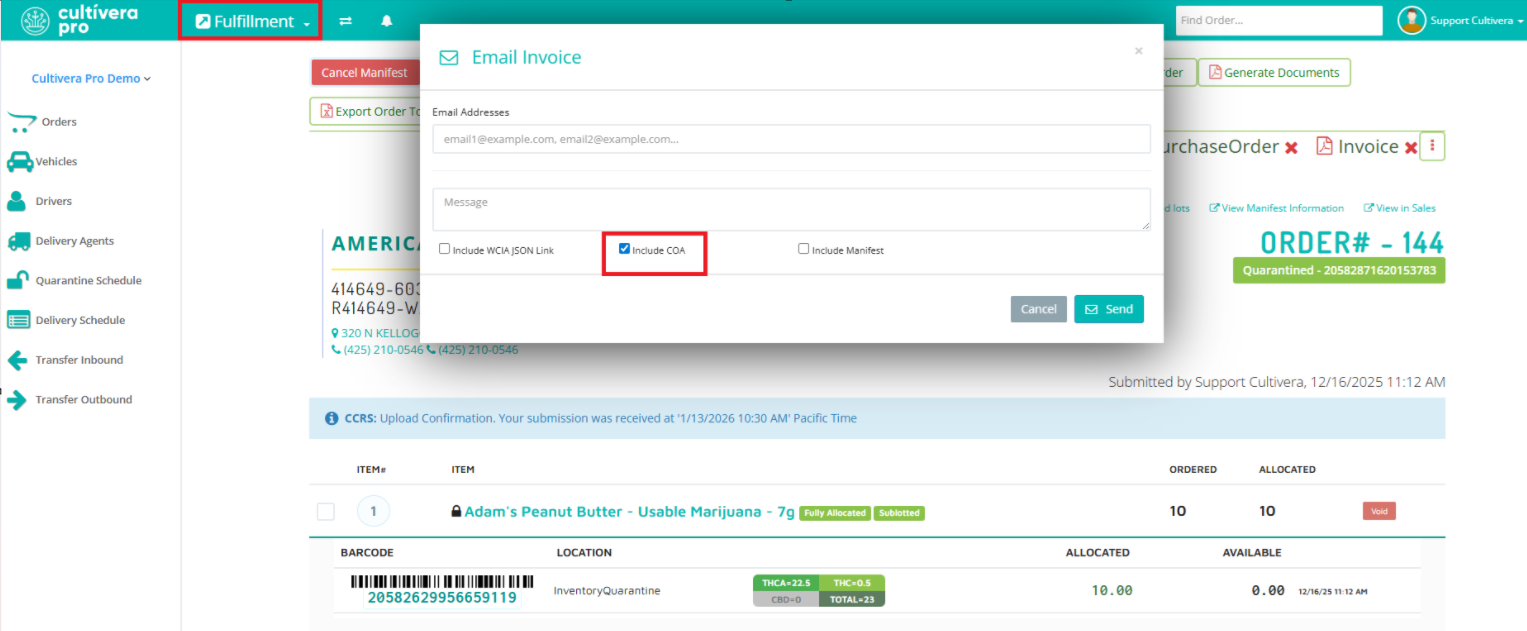
If a lab sends 1 COA PDF for the "potency" test and 1 COA PDF for the "heavy metal" test (or any other COA PDFs), you can ask them to send you a combined COA PDF or you can combine it yourself on your PC (or using some websites you can Google) and then attach the combined COA PDF to the intended QA Result.
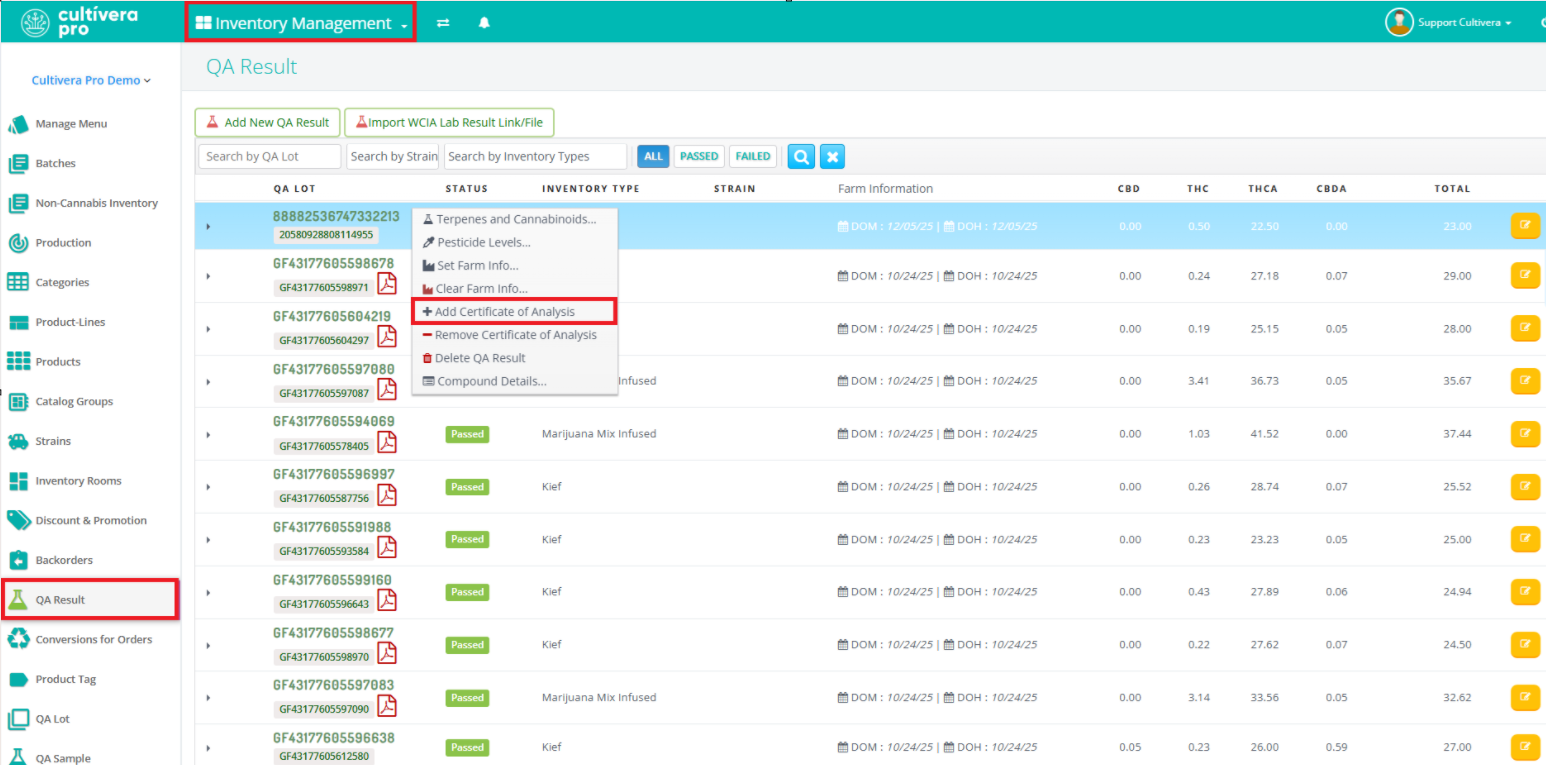
Once you have combined the intended COA PDFs, you can navigate to Inventory Management > QA Result to attach the combined COA PDF (right-click on the result and select "Add Certificate of Analysis").
Please reach out to support@cultivera.com if you have any questions. Thanks!
