PRO: Assigning/Editing QuickBooks Online Chart of Accounts
 Updated
QuickBooks Online Chart of Accounts
NOTE: These steps can only be performed after the backend connection has been made by our Support Team. Please contact us at support@cultivera.com for further assistance.
The Chart of Accounts page is where you’ll manage accounts from your QuickBooks Online Chart of Accounts.
Accounts are assigned to each Cultivera Sub-Product Line. Each of your Cultivera Sub-Product Lines must be assigned 4 accounts from your QuickBooks Chart of Accounts:
- Income Account (detail type: Sales of Product Income)
- AR Account (detail type: Accounts Receivable)
- COGS Account (detail type: Supplies Materials COGS)
- Other Current Asset Account (detail type: Inventory)
Updates to the Charts of Accounts Page
- Redesigned user-friendly grid
- Per-line editor covering both single and multiple Sub-Product Lines
- Filter for unmapped or partially mapped Sub-Product Lines
- Filter to "Hide System Defaults"
Assigning/Updating Accounts To Multiple Sub-Product Lines
- Navigate to Configuration > Charts of Accounts.
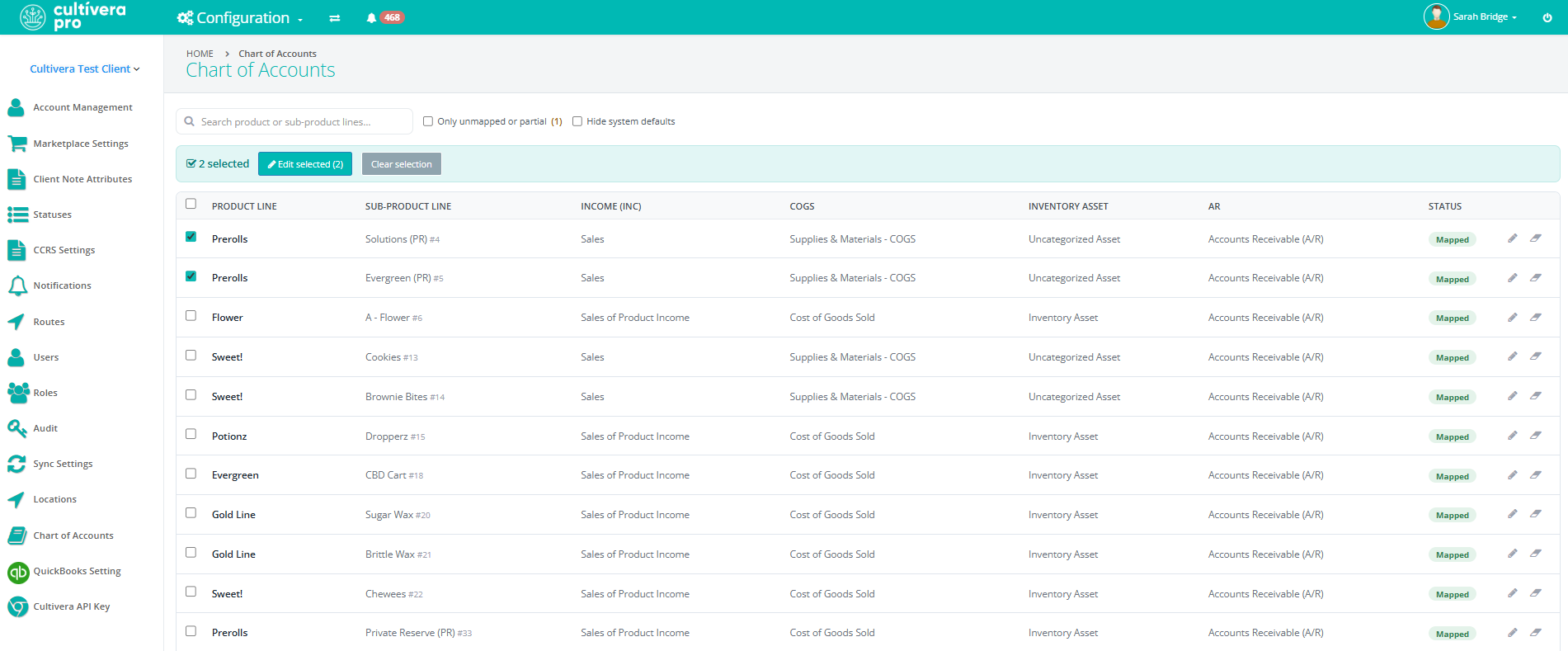
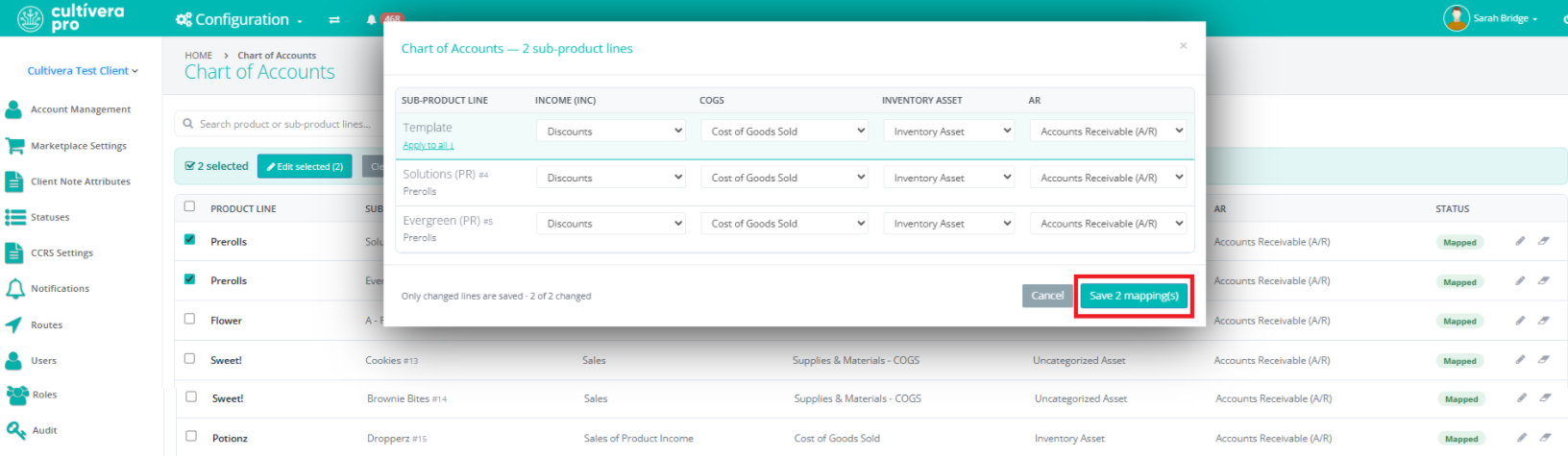
- Select the checkbox next to the intended Sub-Product Lines you wish to assign accounts to.
- Select 'Edit Selected':
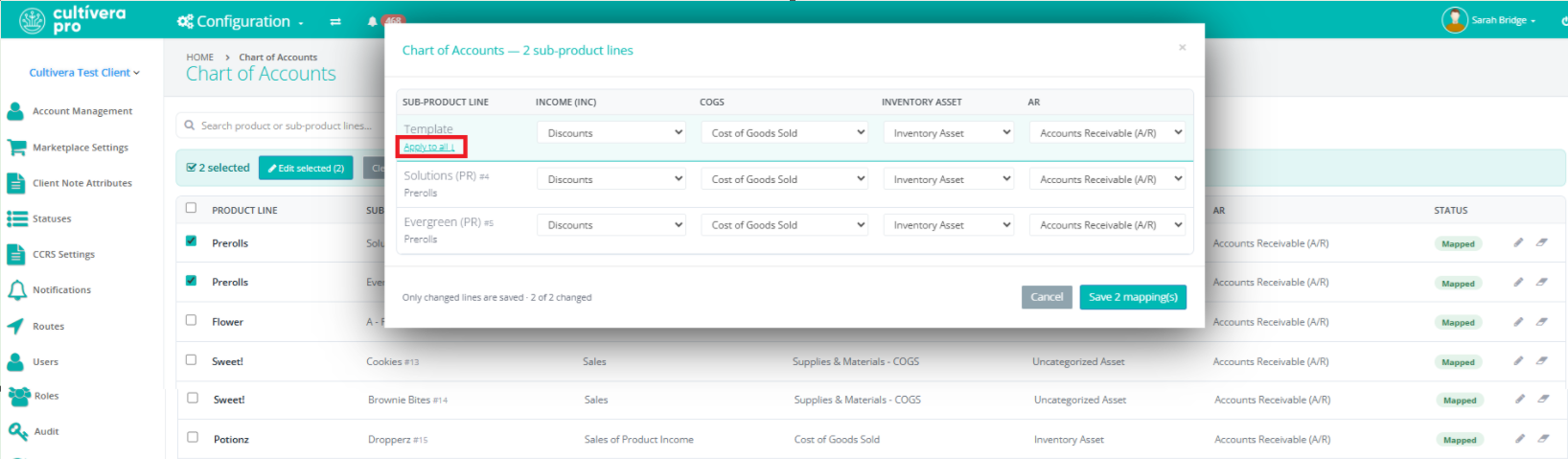
- Select all 4 Charts of Accounts for the selected Sub-Product Lines
- "Template" settings can be applied to all selected Sub-Product Lines
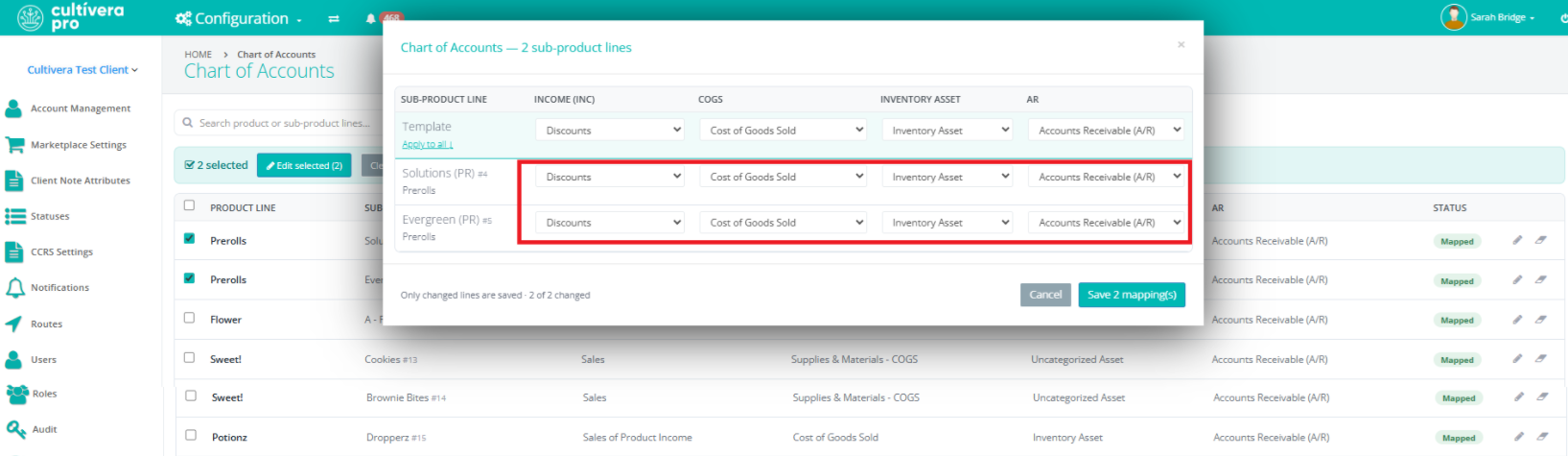
- Manually update individual Sub-Product Lines per line item (instead of using the "Template")
- "Template" settings can be applied to all selected Sub-Product Lines
- Select 'Save "x" Mappings'.
Assigning/Updating Accounts To A Single Sub-Product Line
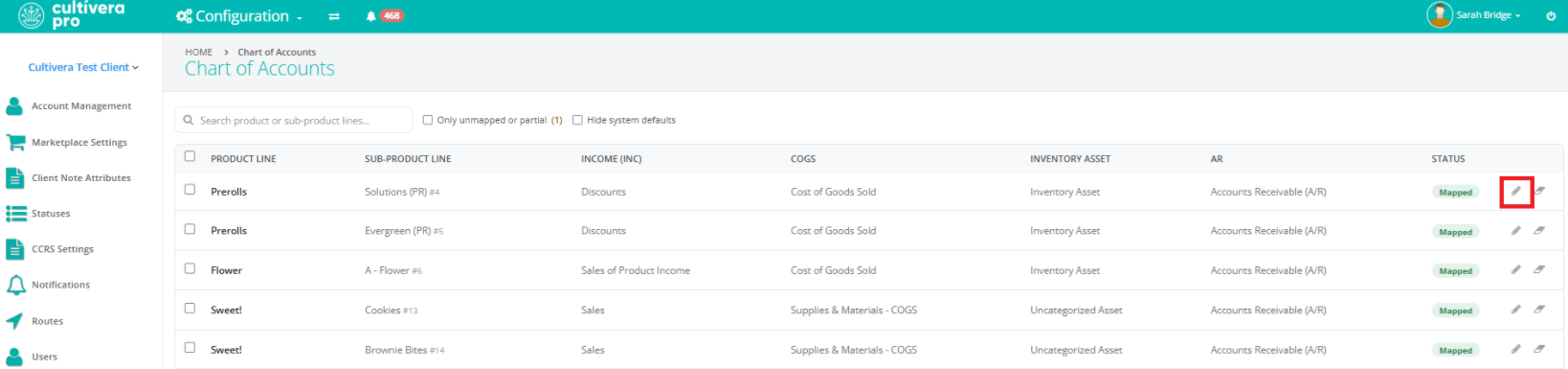
- Navigate to Configuration > Charts of Accounts.
- Select the "edit" pencil for the intended Sub-Product Line:
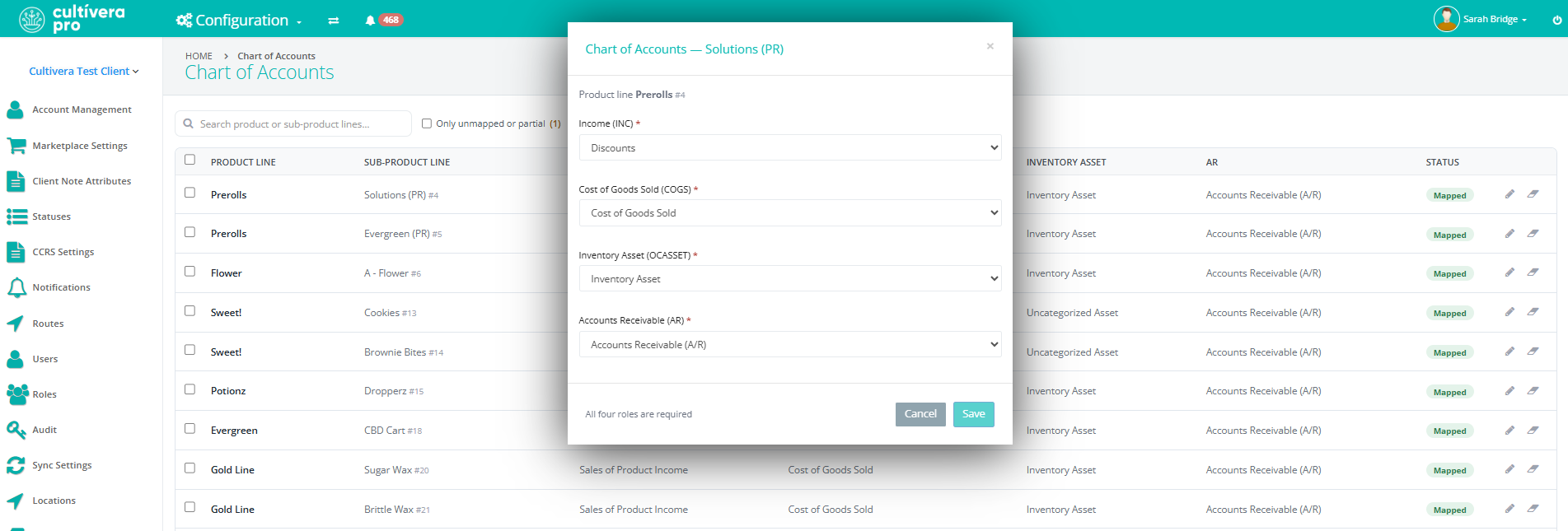
- Update the Charts of Assignments as desired in the pop-up window. Select "Save".
Charts of Accounts can now be assigned/updated from the Inventory Management > Sub-Product Lines > "QuickBooks Setting" tab as well.
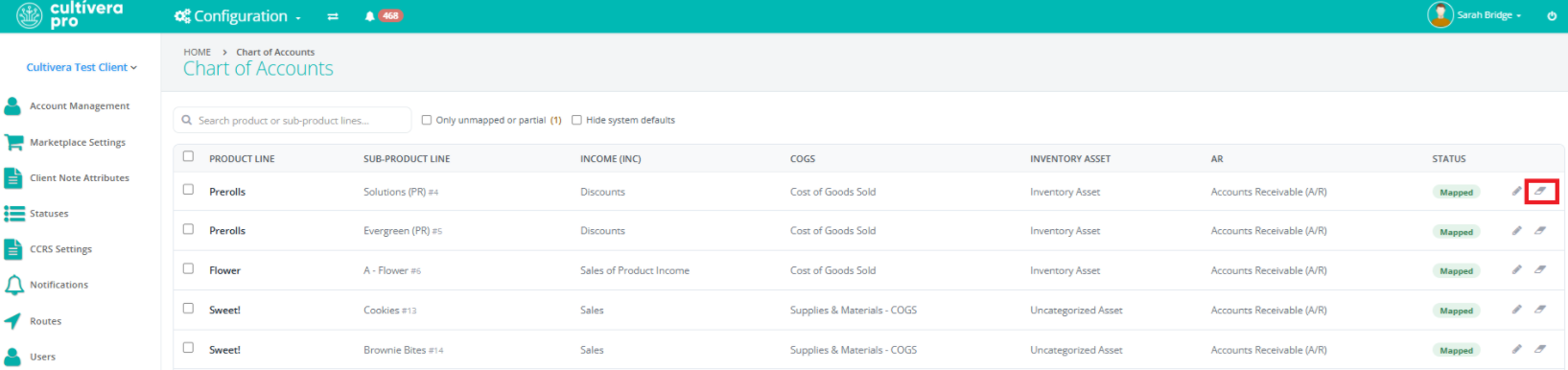
Clearing Assigned Accounts for a Sub-Product Line
- Navigate to Configuration > Charts of Accounts.
- Select the eraser icon to the far right of the intended Sub-Product Line. This will clear the existing QBO Chart of Accounts assignments.