PRO: Inventory Management - Deleting/Discontinuing Products in Cultivera
 Updated
Deleting Products in Cultivera
Products cannot be deleted en masse, and instead will need to be deleted individually from the Product Details page.
Follow these steps to delete a Product in Cultivera PRO:
- Navigate to Inventory Management > Manage Menu.
- Filter for the intended Product.
- Click on the Product Name (this will redirect you to the Product Details page).
- Append the word 'DELETED' to the product name, and then press 'Update'.
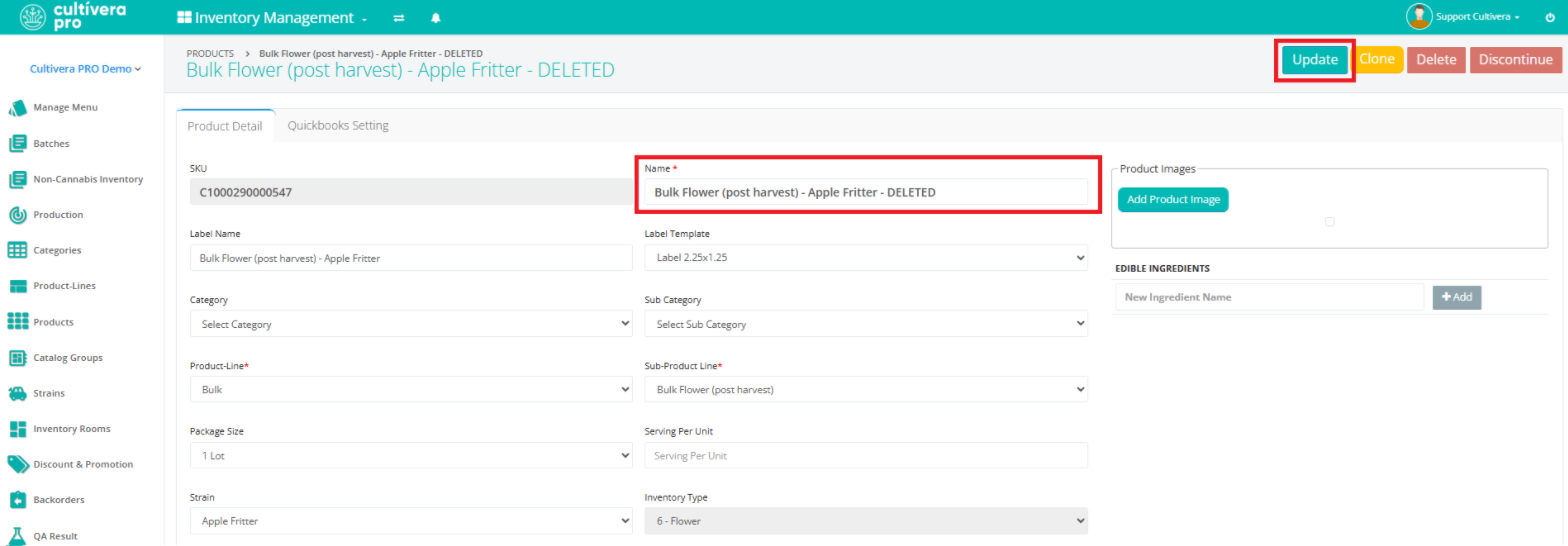 Appending the product name with 'Deleted' opens up that product name immediately (this is best practice in case you delete a product and need to recreate it; you can do so right away with that same product name).
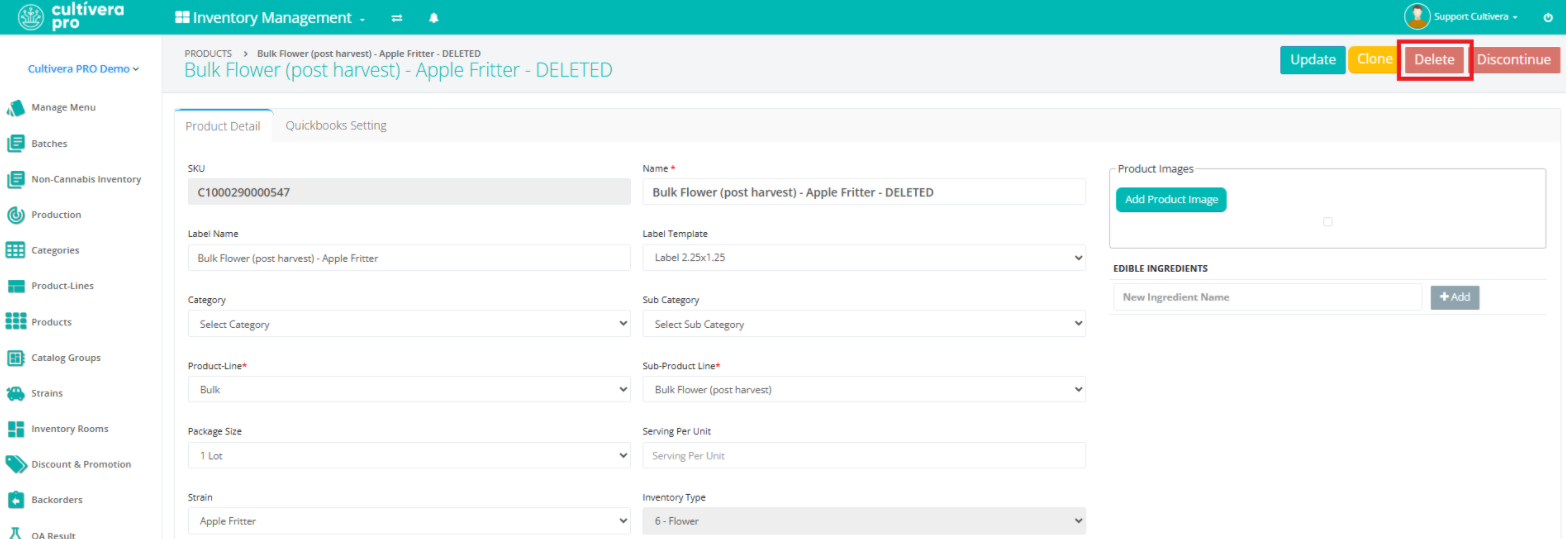
Otherwise, you'll need to use a slightly different naming convention or wait 24 hours to create a new product with the same product name. - Once the product name is updated, select 'Delete'.
Discontinuing Products in Cultivera
Multiple products can be discontinued at one time in Cultivera PRO. Discontinued products can be "resumed" when/if needed via Products > "Discontinued".
Follow these steps to discontinue a Product in Cultivera PRO:
- Navigate to Inventory Management > Manage Menu.
- Filter for the intended Product (or Products).
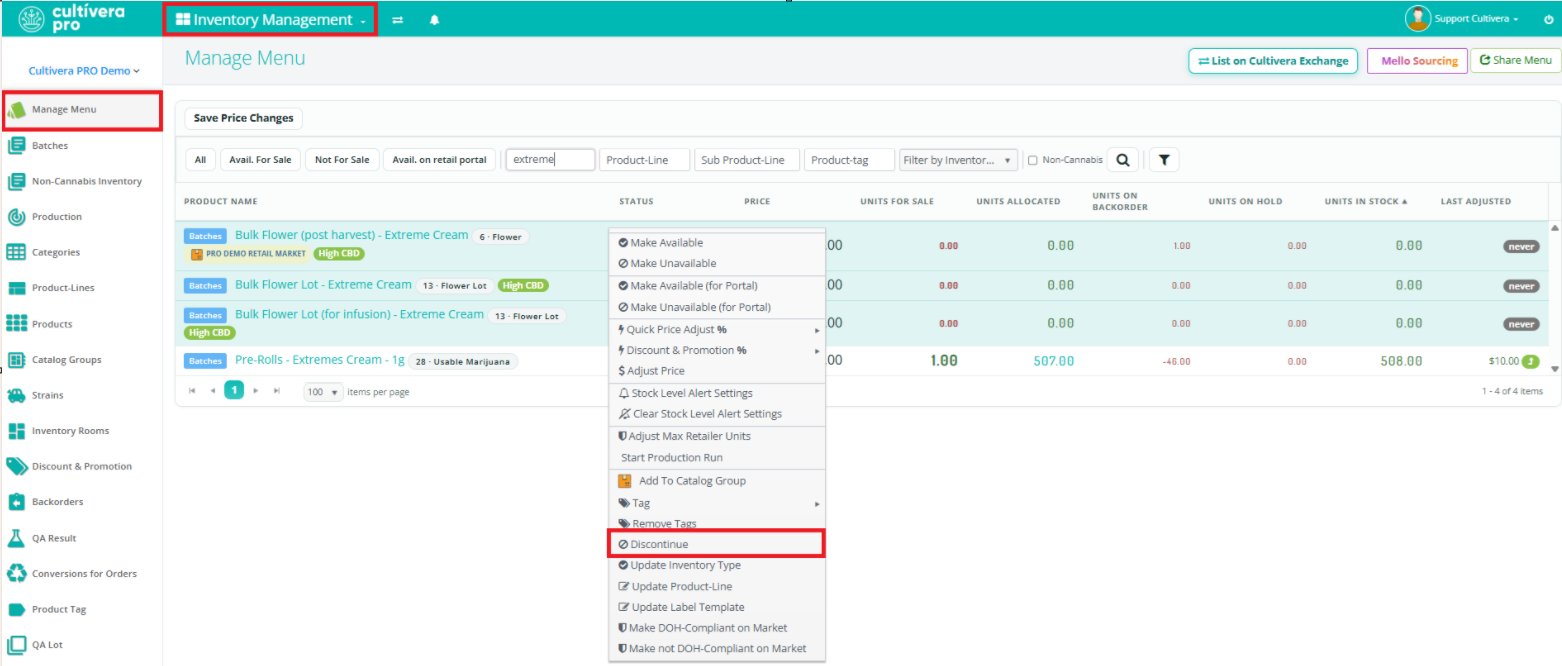
- Highlight and right-click on the intended product(s).
- Select 'Discontinue' from the right-click menu.
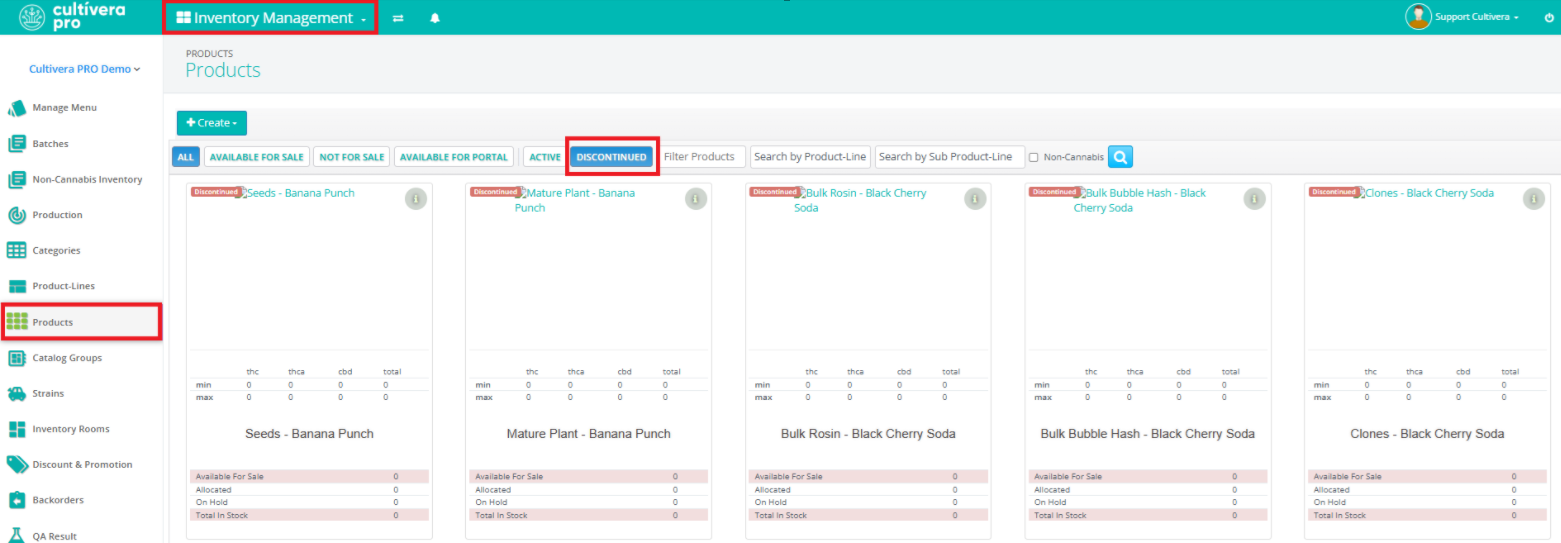
Discontinued products can be located in the Inventory Management > Products tab by applying the 'Discontinued' filter. You can click on a Discontinued Product to "Resume" it from the Product Details page if needed.