PRO: Inventory Management - Managing Product Images
 Updated
Managing Product Images
Product images are a great way to draw attention to your products on the Marketplace. This guide is intended to show you how to manage product images, such as setting the primary product image and/or deleting product images.
Before we dive into Product Image management, here are a couple of things to be aware of when it comes to uploading an image into Cultivera Pro:
- 4 MB is the file size limit that will successfully upload & .jpg, .jpeg, .png files tend to work best (instead of a pdf)
- You'll want to use images that are a perfect square, or as close to a perfect square as possible (500 x 500, 1000 x 1000, 1500 x 1500 pixels, etc.). That's not to say an image that isn't a perfect square won't successfully upload into Cultivera, however, the further away that image is from being a perfect square, the more likely it is that the image will upload a bit skewed.
- Any images with transparency are rendered as black within our software. Please be sure to remove a transparent background from your image file.
Setting the Primary Product Image
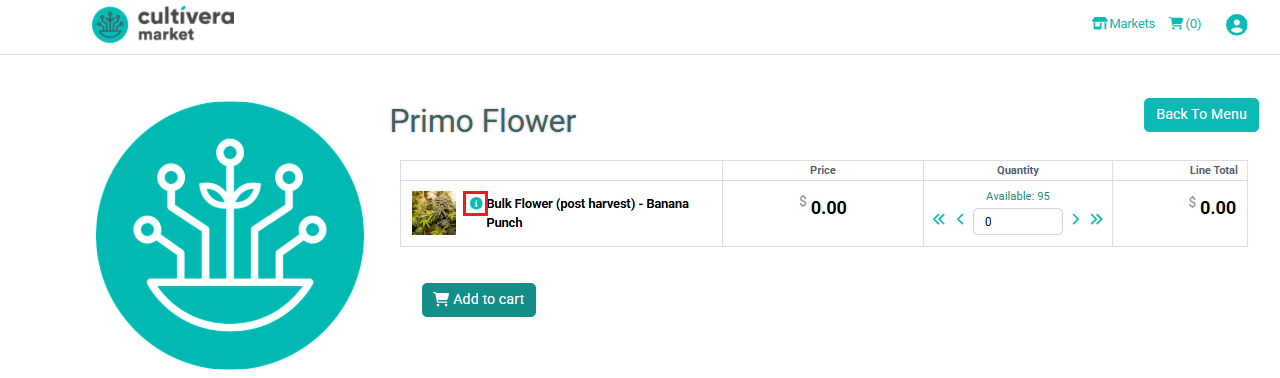
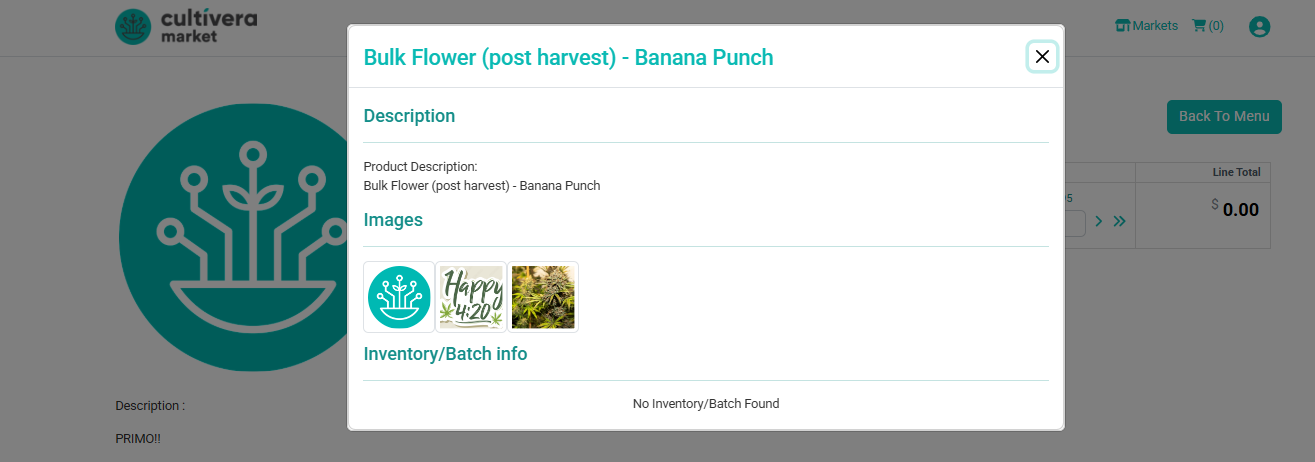
Multiple images can be uploaded for a product on the Product Details page. Keep in mind, only one product image can be set as the "primary" image, but market buyers can click the info bubble for a given product to view the pictures uploaded on the PRO side.
To set an image as the primary image, select the uploaded image, then select 'Set as Primary' (be sure to select 'Update' on the product details page before navigating away from the page):
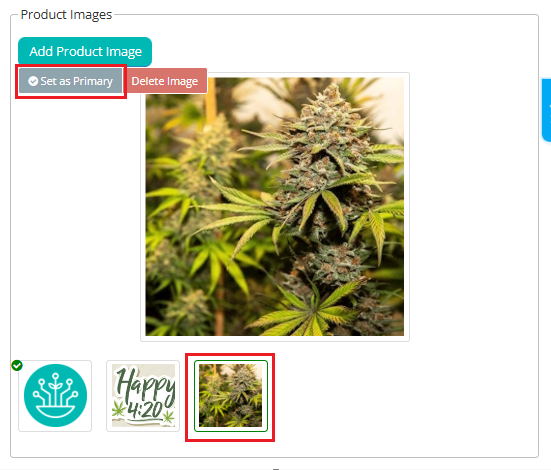
You can follow the steps in the following guide to add a product image in Cultivera PRO: PRO: Inventory Management - Adding a Product Image.
Here is an example of what this looks like from a Market buyer's perspective:
Deleting a Product Image
To delete an image from the product details page, select the image in question and then select 'Delete Image':
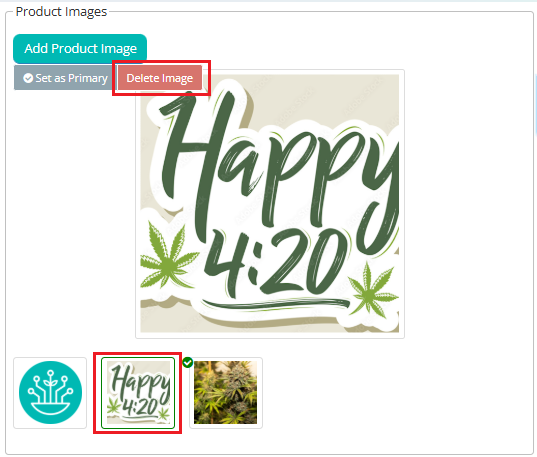
If you would like to delete all images uploaded for a given product, please provide the exact product name(s) in question, and we'll be happy to submit a request to our development team to remove those product images from the backend.
If you have any questions, please don’t hesitate to reach out to our support team at support@cultivera.com for assistance.
