Cultivera Pro (WA) Patch - 6.0.39 Release Notes (9/4/2026)
 Updated
Updates To Cultivera Pro (WA) - 9/4/26
Please see below for a summary of the updates made in Cultivera Pro (WA) in our most recent release on September 4, 2026:
Grow Updates:
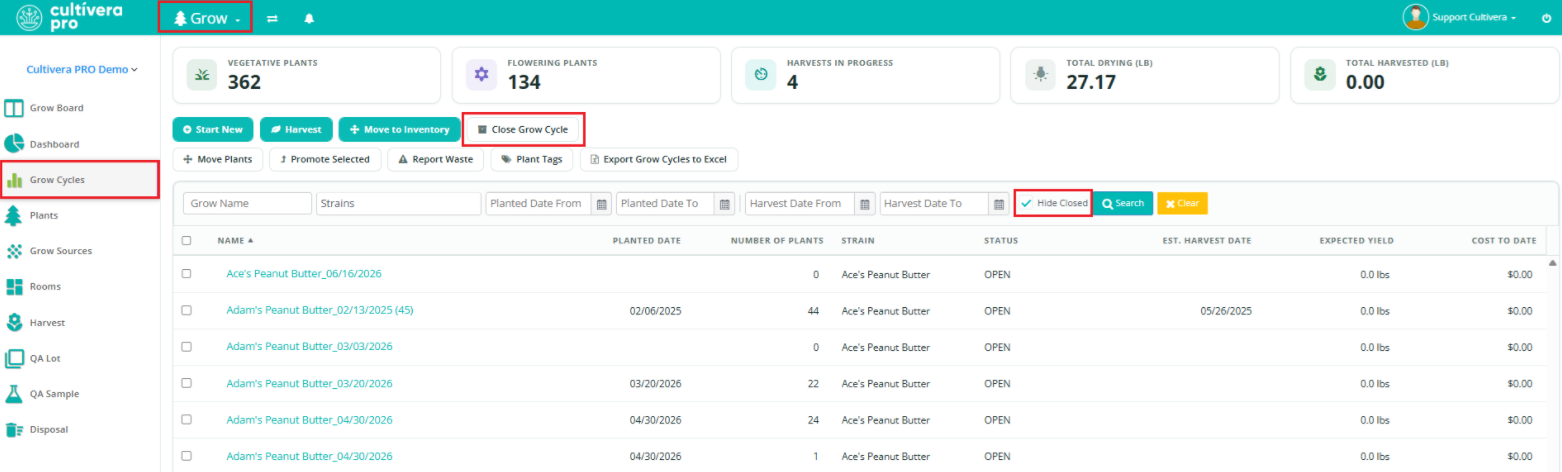
- New "Close Grow Cycle" Feature:
- This feature allows users to select Grow Cycles that do not contain any plants, and mark them as 'Closed'.
- A new toggle checkbox is now available on the Grow > Grow Cycles page to "Hide Closed" (which is checked as a default).
- Rooms Grouped by Type:
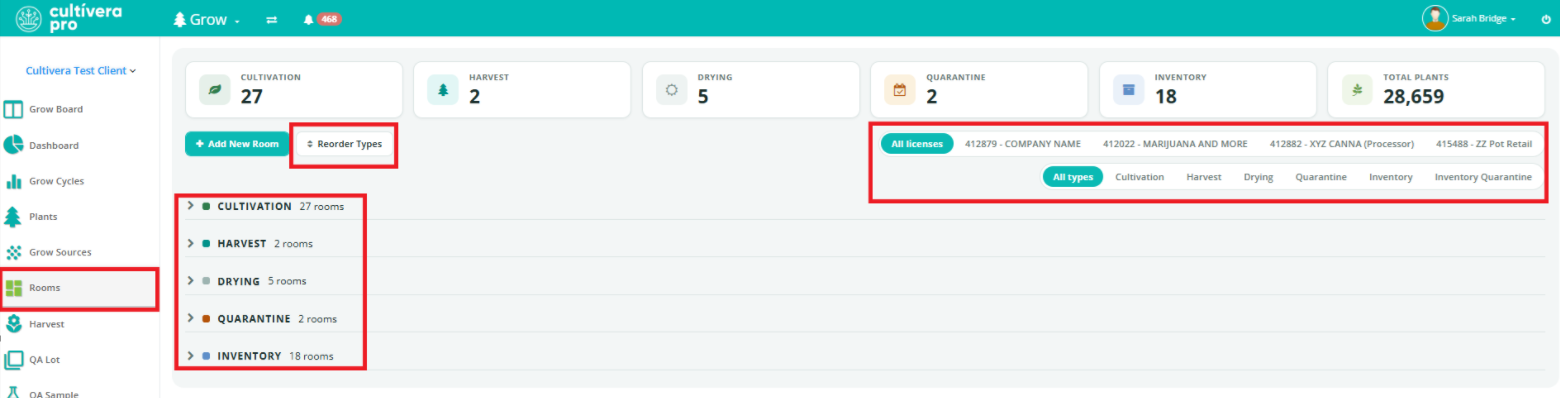
- Grow > Rooms and Inventory Management > Inventory Rooms are now grouped under Cultivation / Harvest / Drying / Quarantine / Inventory (with counts and totals), plus a per-user "Reorder Types" button.
- Rooms can also be filtered by license if your system contains multiple licenses.
Inventory Management Updates:
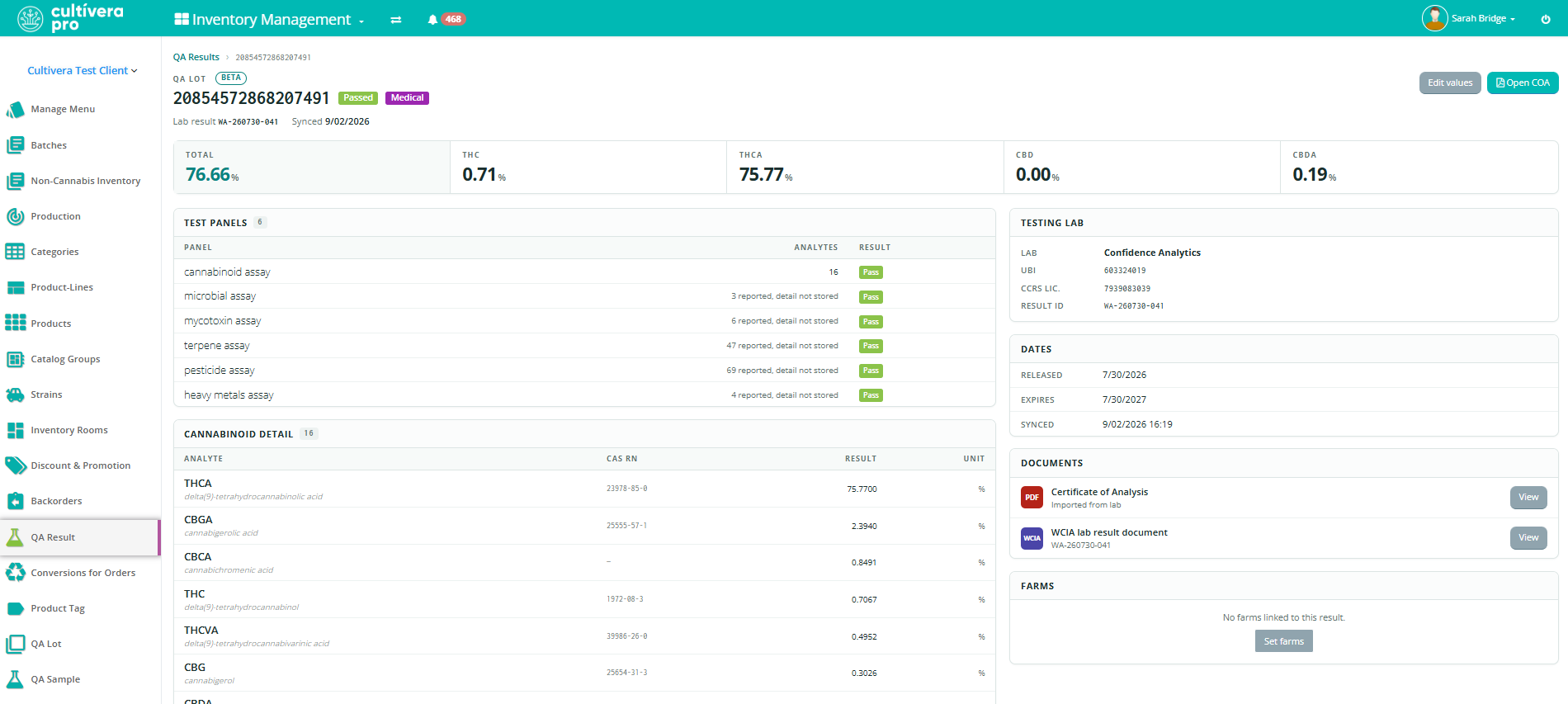
- QA Result Detail page (Beta)
- A new QA Result Details page can be accessed by clicking on the QA Parent ID (reachable via Batch Details, the Batches QA panel, or Inventory Management > Batch Details).
- This page includes the Lab, COA, farms and dates, and every batch on the QA lot in one place. If the result is imported via JSON Link, then that will be available on the QA Results Details page as well.
- DOH Indicator for Batches Converted via Conversions for Orders:
- Previously, DOH indicators only carried over naturally for batches sublotted from the Batches page and/or Fulfillment > Order Details page. However, the DOH indicator can now be carried over for batches also converted via Conversions for Orders.
- Bulk Product Rename:
- On the right-click menu in Inventory Management > Manage Menu, there is a new option to "Update Product Names…".
- This feature allows up to 50 products to be renamed from a naming pattern (Strain / Product Line / Sub-Product Line / Package Size / text) with a live preview.
- This feature requires the new Mass Rename Products permission (under Configuration > Roles > Role details), which is off by default and granted per role under Configuration > Roles.
- "Clone Product" (carrying over product images):
- When cloning a Product, a new pop-up window opens a pre-filled dialog that gives the option to copy images from the source by default.
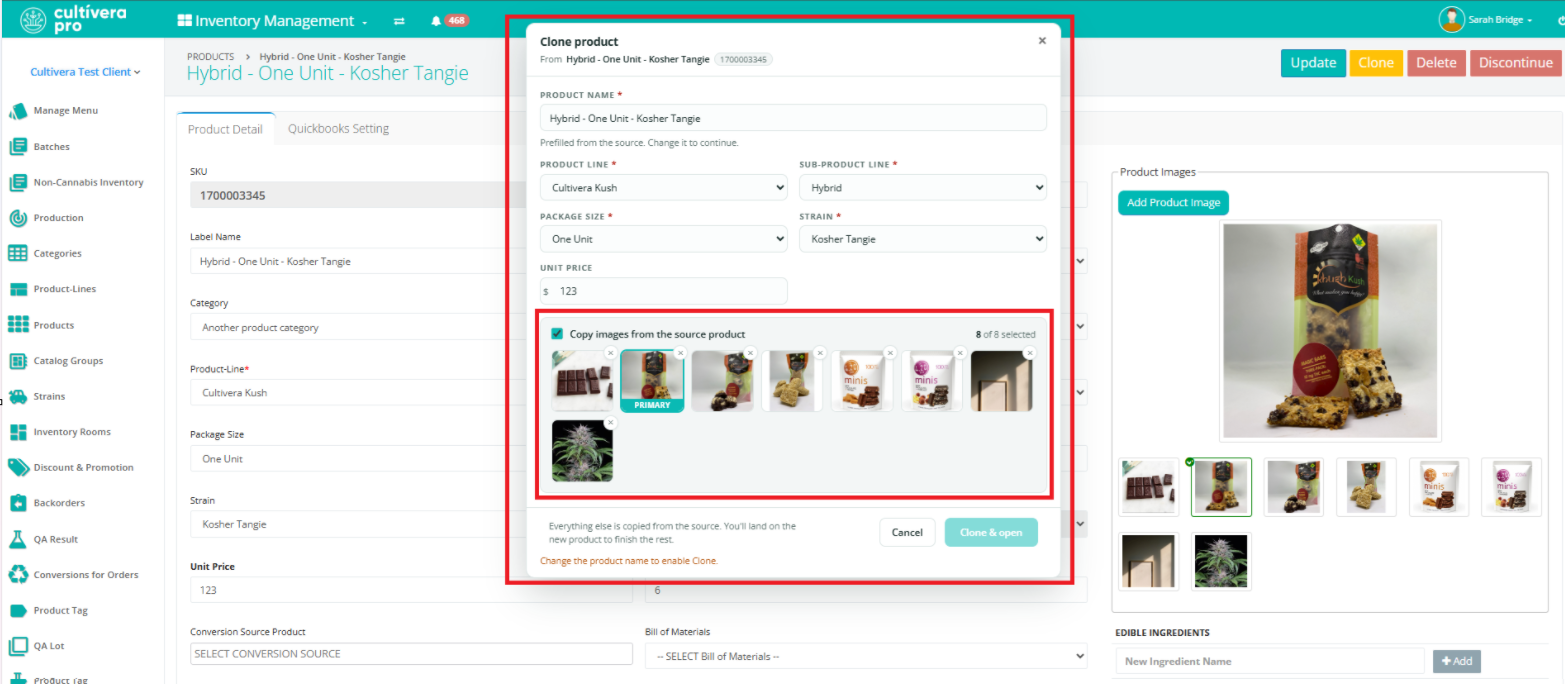
- When cloning a Product, a new pop-up window opens a pre-filled dialog that gives the option to copy images from the source by default.
Transfer Outbound Updates:
- Updating Pricing for Locked Items on an Outbound Transfer:
- The Line Price edit tool/pencil on Transfer Outbound Details now works on locked lines.
- Updates made to a locked line item are also included in the Configuration > Audit.
