Cultivera Pro (WA) Patch - 6.0.15 Release Notes (7/20/2026)
 Updated
Updates To Cultivera Pro (WA) - 7/20/26
Please see below for a summary of the updates made in Cultivera Pro (WA) in our most recent release on July 20, 2026:
- Inventory Management > Strains > "Strain Type": "Strain Type" is a new required field for strains in WA Cultivera PRO (the LCB now requires this information when strains are reported to CCRS).
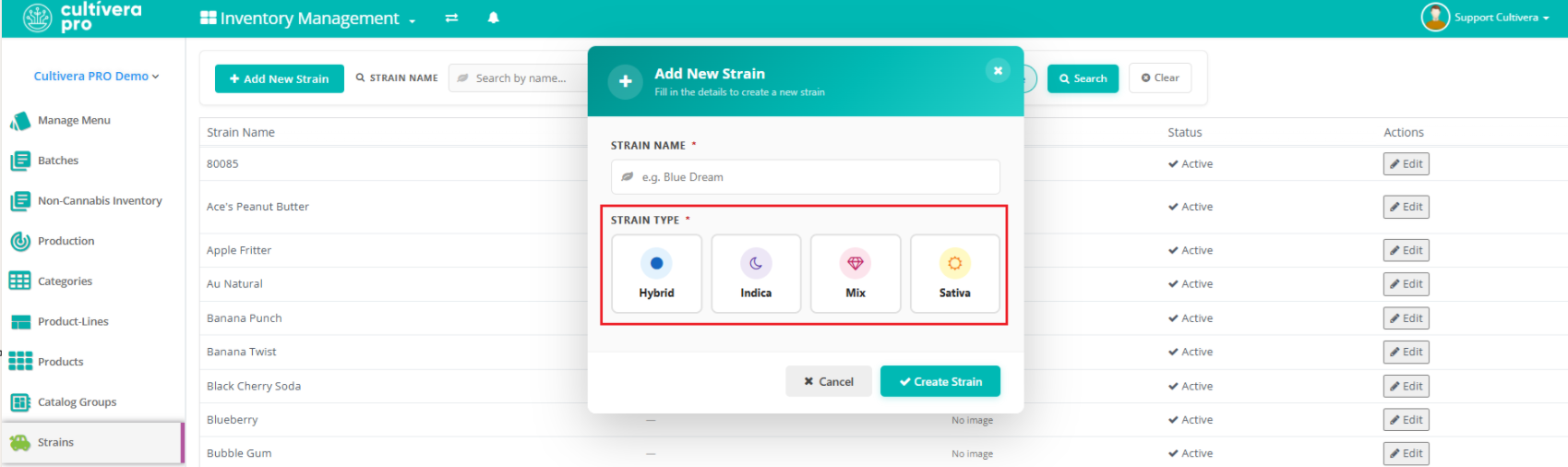
- The "Strain Type" can be selected when creating/editing strains via Inventory Management > Strains.
- This can also be selected at the time new strains are created via the "Clone Product" or "New Product" workflows.
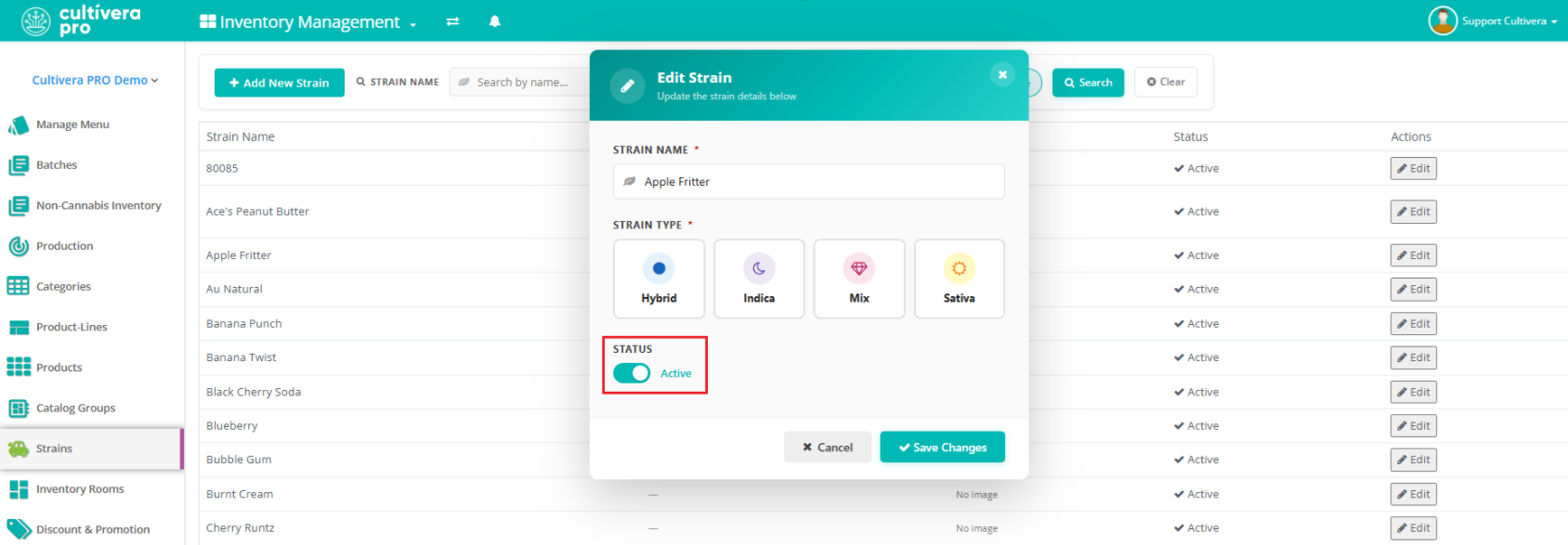
- Inventory Management > Strains > "Strain Management": Strains can now be deactivated/activated via the 'Edit' button on the Inventory Management > Strains page.
- Select 'Edit' for the strain in question, then use the 'Active' toggle to set the strain status accordingly:
- Inactive strains can be located in the system by unchecking the 'Hide Inactive' toggle at the top of the page (this will allow you to view the 'Inactive' strains so they can be edited as needed:
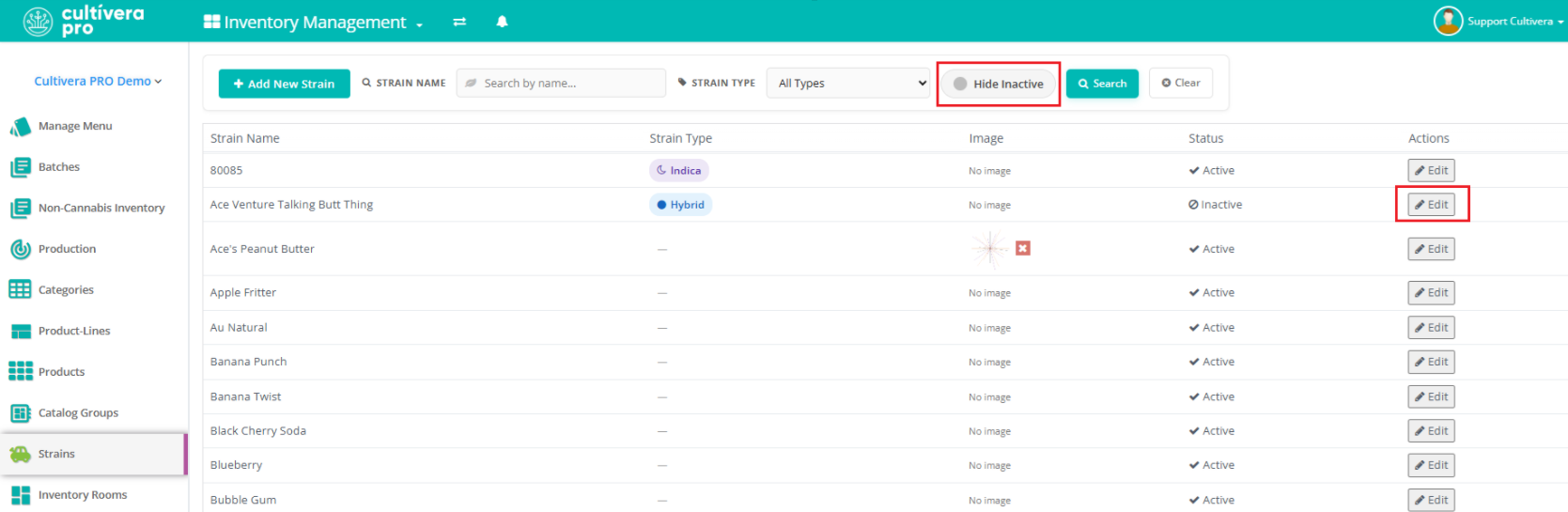
- Inactive strains can be located in the system by unchecking the 'Hide Inactive' toggle at the top of the page (this will allow you to view the 'Inactive' strains so they can be edited as needed:
- Select 'Edit' for the strain in question, then use the 'Active' toggle to set the strain status accordingly:
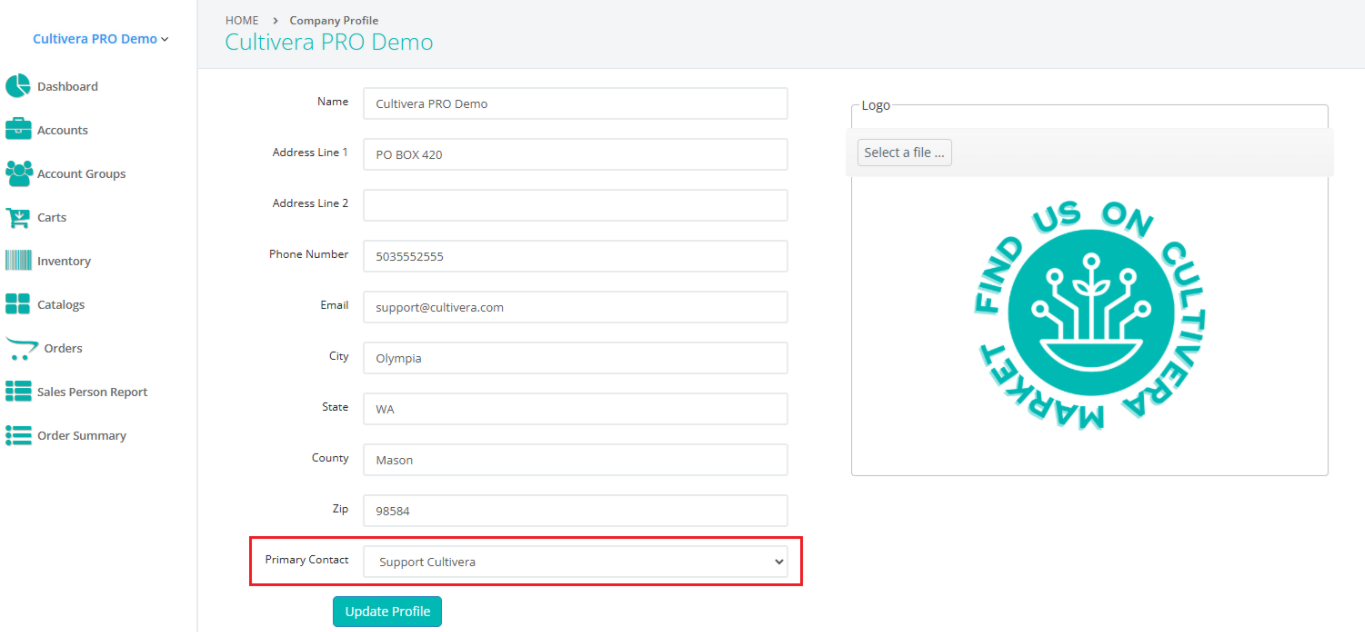
- PRO > Company Profile > "Primary Contact" - Users can now assign/select a 'Primary Contact' that will receive communications from purchasers regarding Market orders.
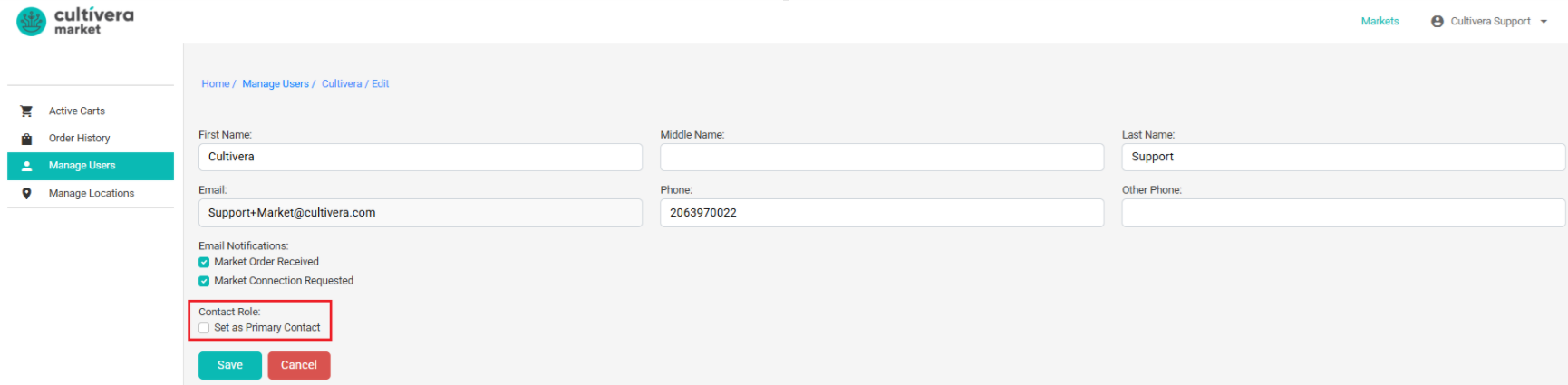
- On the Market Retail Buyer side, users can also specify a "Primary Contact" for vendor contact purposes:
- Inventory Management > Products > "Inactive Sub-Product Lines": Inactive Sub-Product Lines will no longer surface on the Product Details dropdown menus or in the filters on Inventory Management > Manage Menu.
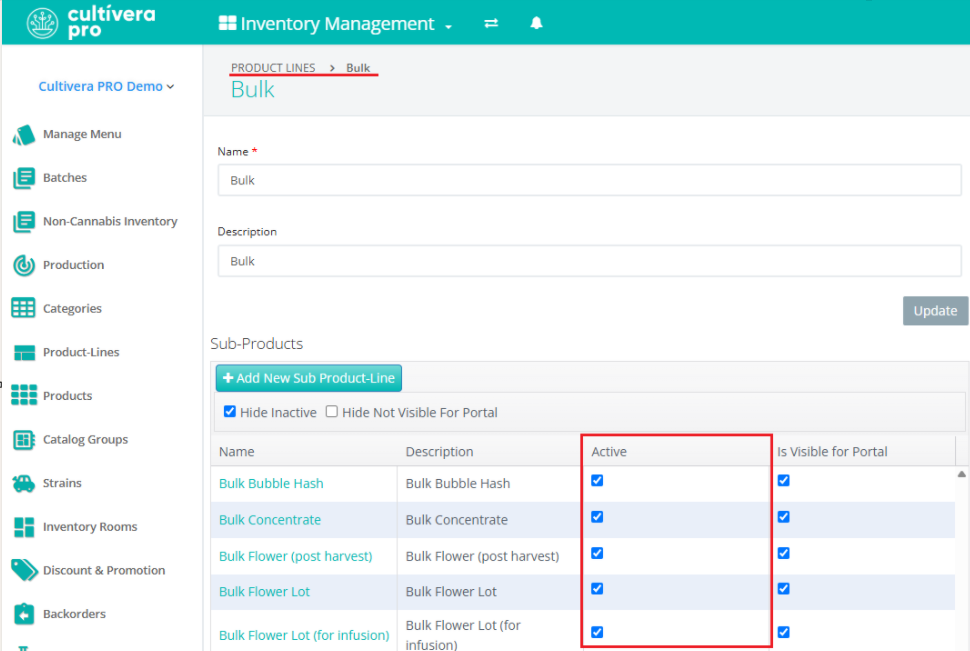
- Sub-Product Lines can be made 'Inactive' via Inventory Management > Product-Lines by unchecking the 'Active' checkbox next to the intended Sub-Product Line:
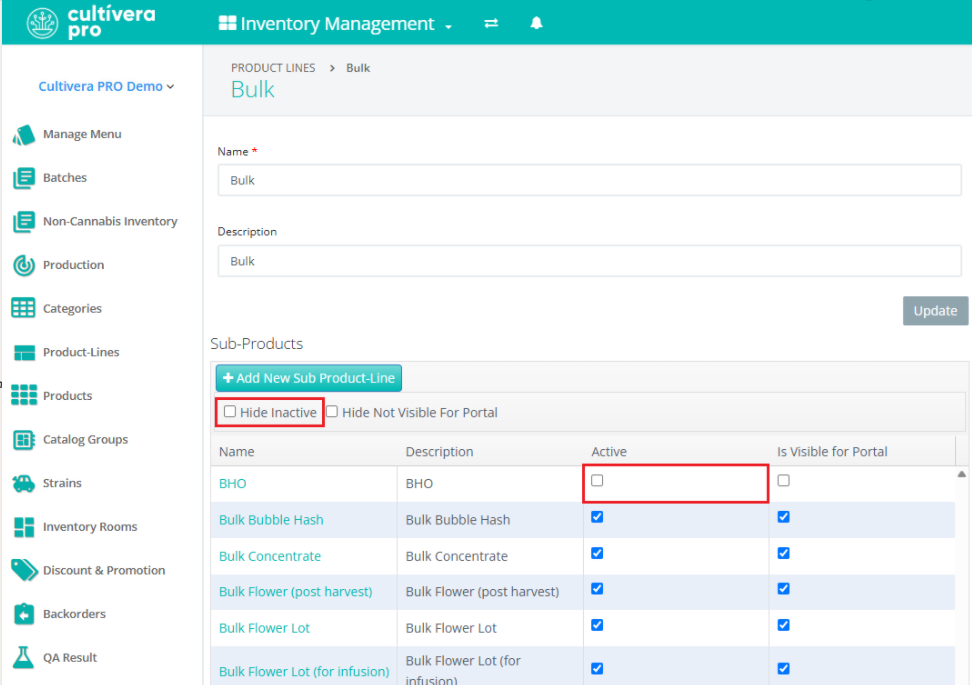
- To view/reactivate any inactive Sub-Product Lines, uncheck the 'Hide Inactive' checkbox and re-select the 'Active' checkbox for the Sub-Product Line (if desired):
- Sub-Product Lines can be made 'Inactive' via Inventory Management > Product-Lines by unchecking the 'Active' checkbox next to the intended Sub-Product Line:
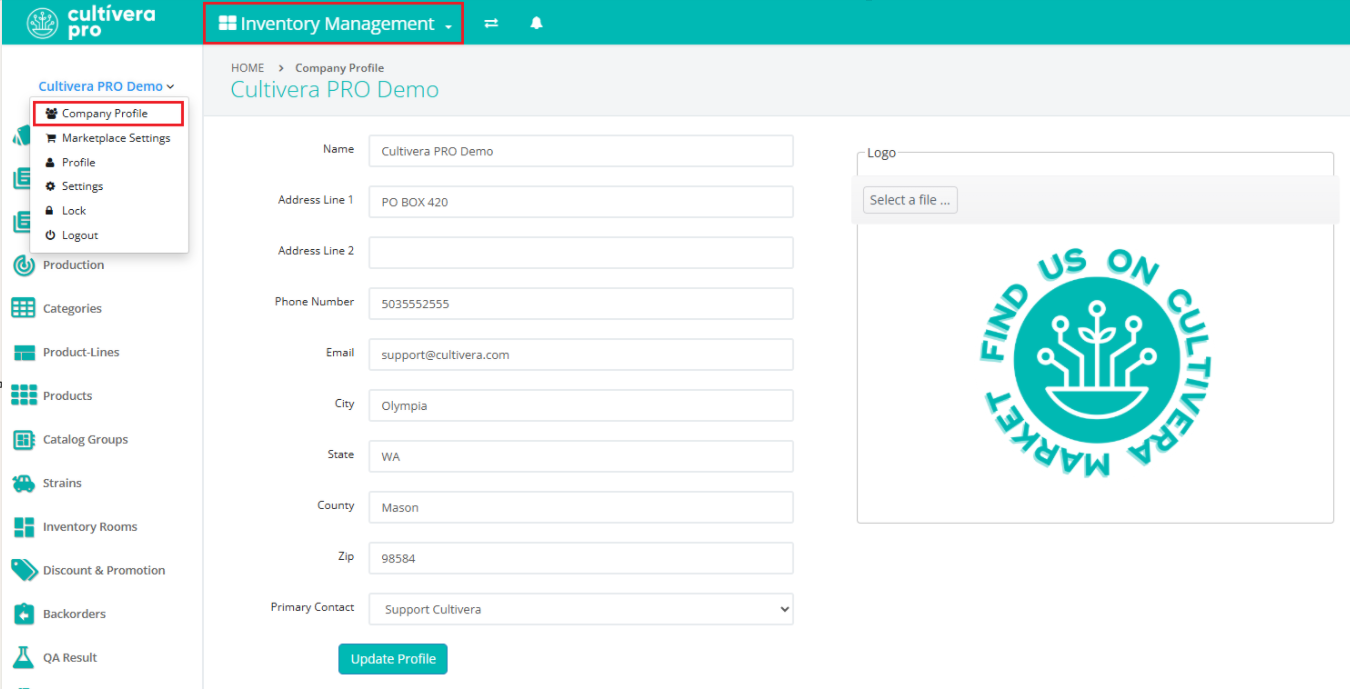
- Inventory Management > Company Profile "Update": The company details (name, address, phone#, etc) can now be updated via the Company Profile link found on the Inventory Management module: