Cultivera Exchange (Buyer): Dashboard - Manage Buying - Purchase Orders
 Updated
Dashboard - Manage Buying - Purchase Orders
This guide provides an overview of the 'Manage Buying > Purchase Orders' section within the Cultivera Exchange Dashboard.
This section allows you to view any orders you have placed on the Cultivera Exchange.
Search and Filters
- Search Bar: Quickly find a specific offer by typing the Order Number or the Product Name.
- Status Filter: Use the dropdown at the top right to filter your view by statuses like Submitted, Accepted, Rejected, Expired, etc.
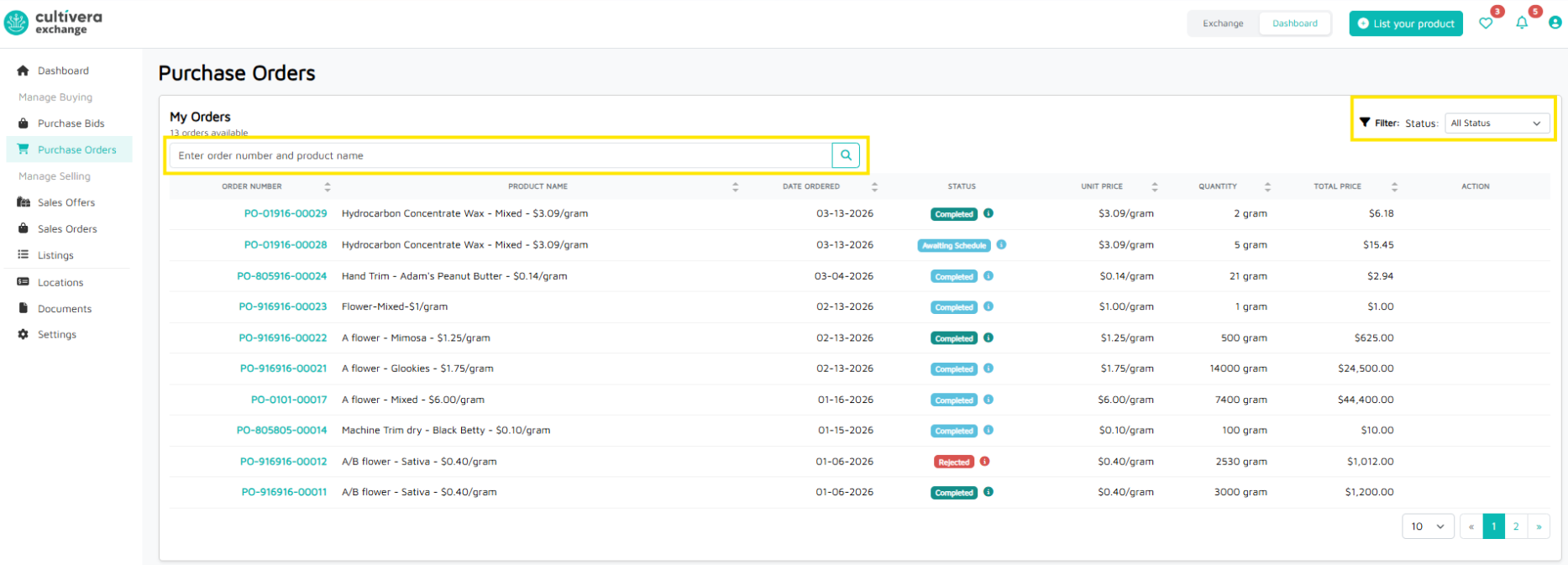
Order Data Table
Column | Description |
Order Number | The unique PO ID. Clicking the Order Number link opens the full order details (Buyer Info, Order Status, etc). |
Product Name | The specific product and strain included in the order. |
Date Ordered | The date the Purchase Order was officially created. |
Status | The current stage of the order (see details below). |
Unit Price | The price per gram/unit for the ordered product. |
Quantity | The total amount of product sold in this transaction. |
Total Price | The final invoice amount (Quantity × Unit Price). |
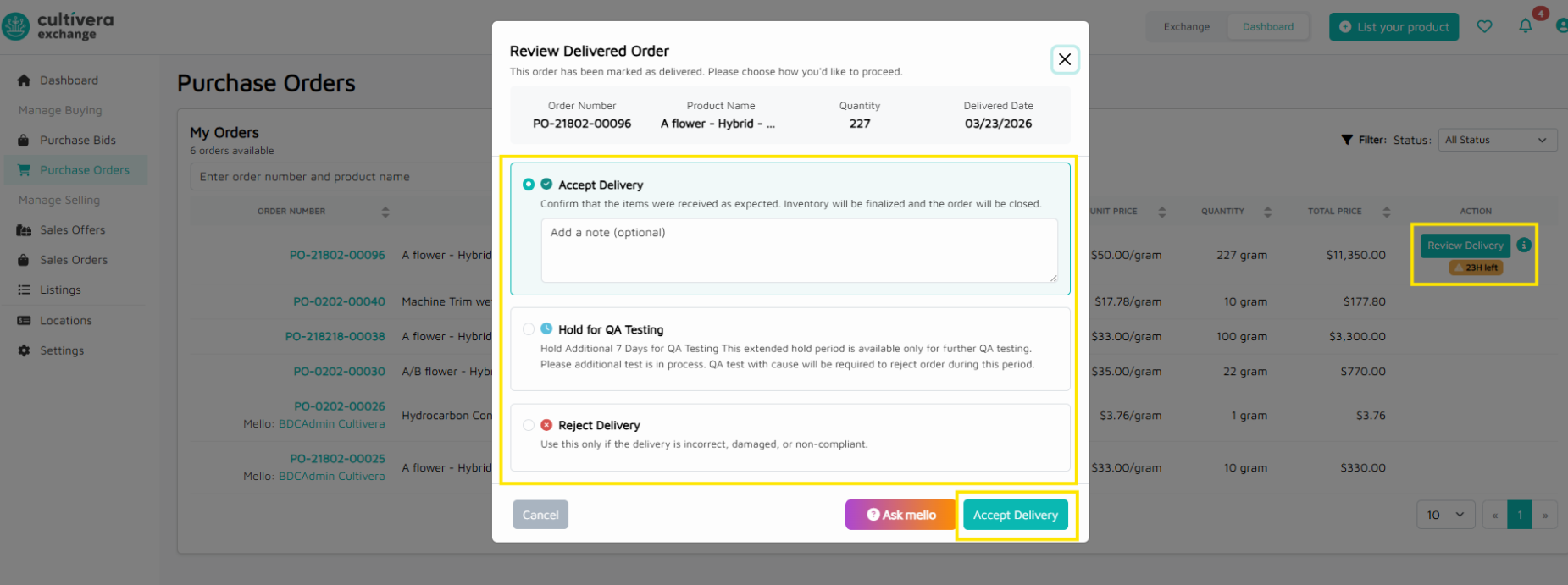
Action | This is where a buyer can review delivery details and "Accept Delivery", "Hold for QA Testing", or "Reject Delivery". |
