POS Onboarding: Administration Module > Category Creation
 Updated
Creating Categories in the POS Administration Module
The Categories page helps you organize and define your products, making them easier to manage and find.
Examples of common dispensary Categories are flower, infused flower, pre-rolls, blunts, gummies, chocolates, drinks, rosin, wax, shatter, etc.
By creating Categories, you can:
- Make your inventory more user friendly
- Filter products for easier searching
- Analyze sales data by category type
- Apply discounts to specific groups of products
This guide will walk you through how to create Categories for your products. Please reach out to your Onboarding Rep if you have any questions.
Create Categories
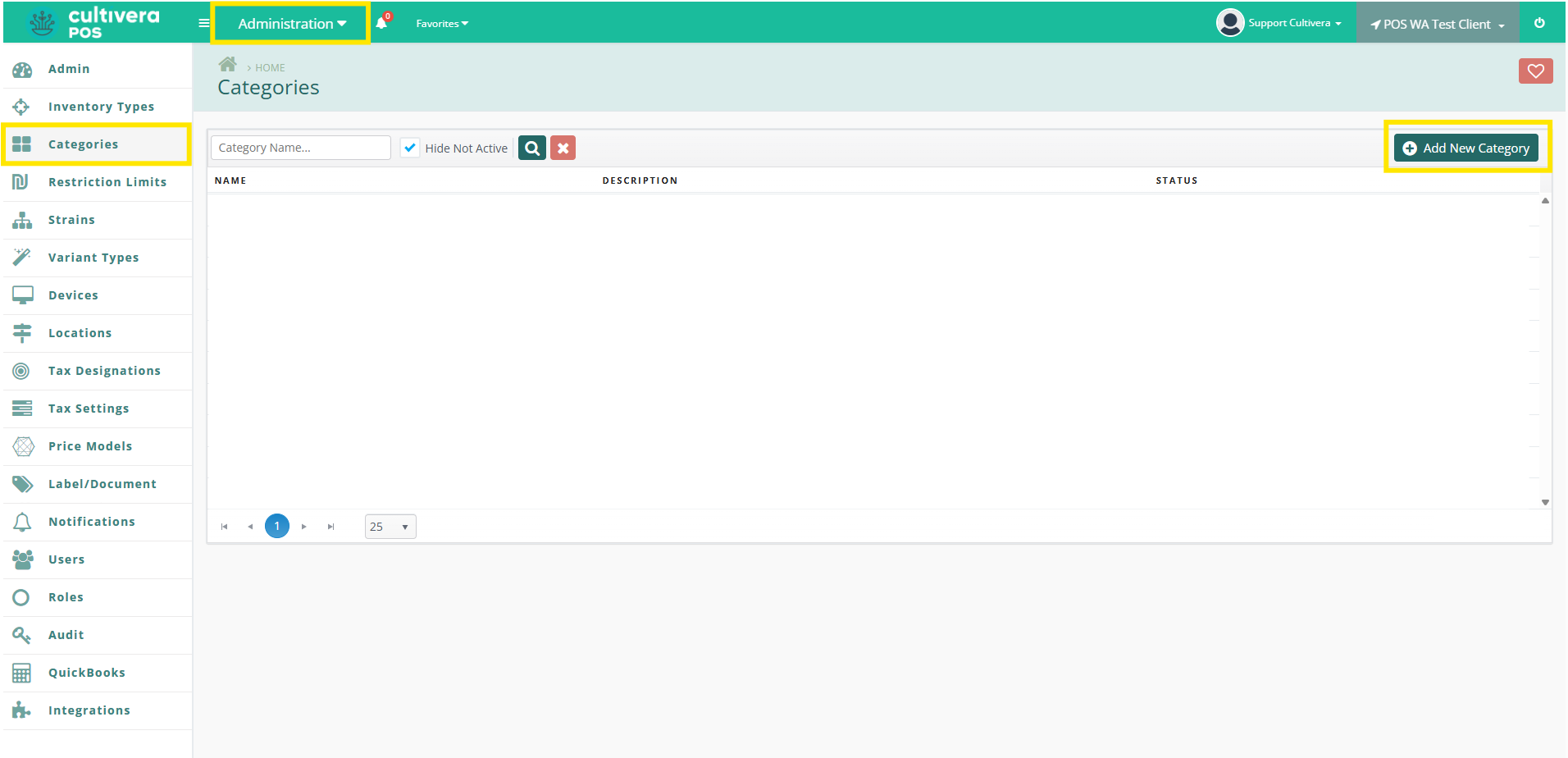
- Navigate to Administration > Categories > Add New Category
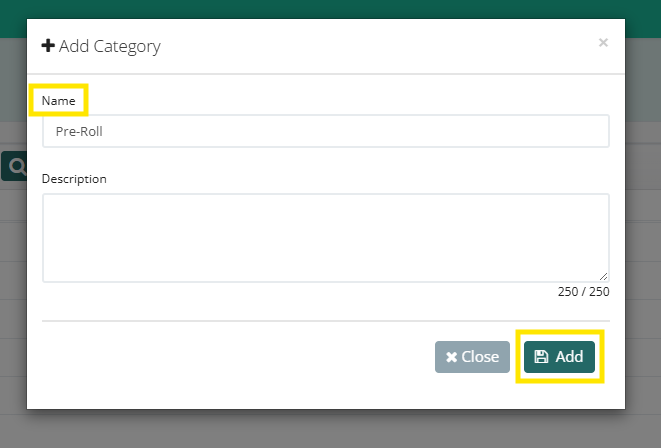
- Enter the Name of the Category (Description is optional), and then select "Save".
- Your newly created Category will then be found within your Categories page.
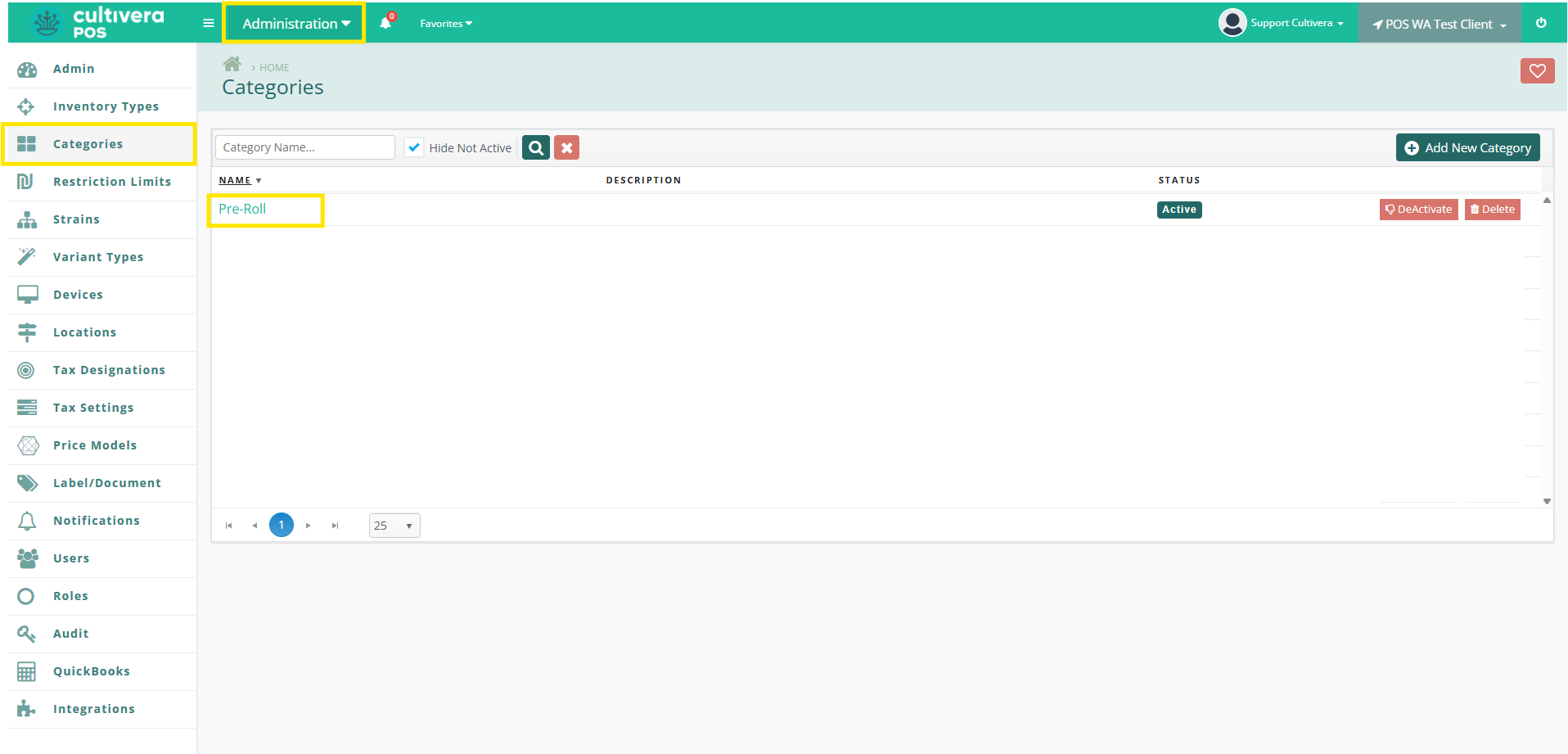
- Please repeat Steps 1-2 for each Category that needs to be added to your system.
Look at you go! You have now completed the Category configuration within your Back Office. Please reach out to your Onboarding Rep for the next steps in your Onboarding process.