Cultivera Exchange (Seller): Manage Selling - Sales Orders
 Updated
Manage Selling - Sales Orders
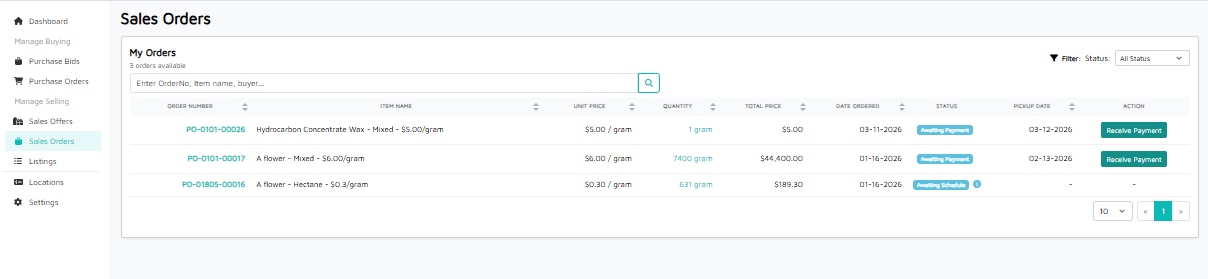
This guide explains the Sales Orders page in the Cultivera Exchange. This is where sellers manage their active Purchase Orders (POs) and track the transition from an accepted offer to a completed payment.
Once a buyer’s offer is accepted, it generates a Purchase Order here. This page allows you to monitor payment status, confirm receipt of funds, and see upcoming pickup dates.
Search and Filters
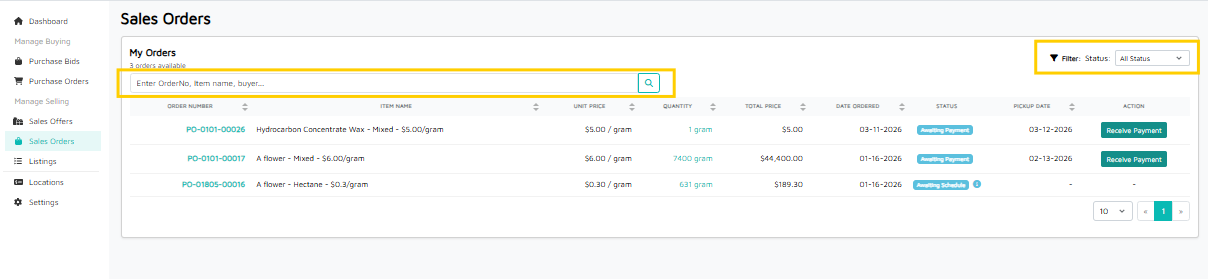
- Search Bar: Search for specific orders by PO Number, Item Name, or Buyer Name.
- Status Filter: Use the dropdown at the top right to filter orders by their current stage (e.g., Awaiting Payment, Awaiting Schedule, Completed, etc.).
Order Details Table
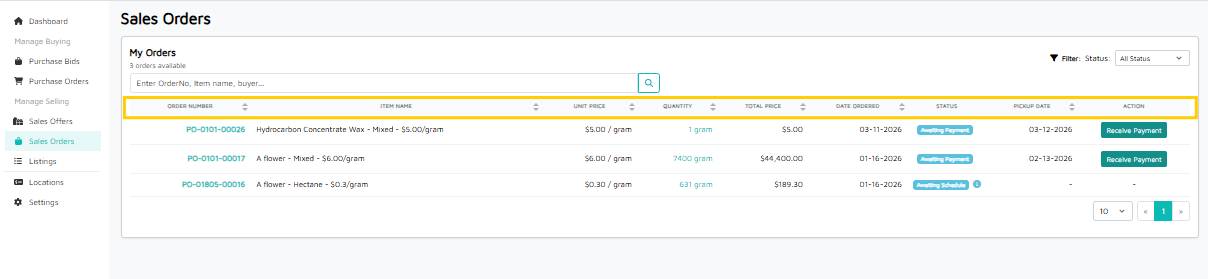
Column | Description |
ORDER NUMBER | The unique PO ID. Clicking the Order Number link opens the Order Detail. |
ITEM NAME | The specific product and strain included in the order. |
UNIT PRICE | The price per gram/unit agreed upon during the bidding process. |
QUANTITY | The total amount of product sold in this transaction. Clicking on the Quantity link shows the Inventory Details. |
TOTAL PRICE | The final invoice amount (Quantity × Unit Price). |
DATE ORDERED | The date the Purchase Order was officially created. |
STATUS | The current stage of the order (see details below). |
PICKUP DATE | The date the transporter is scheduled to collect the product from your facility. |
ACTION | Interactive buttons to move the order to the next step. |
Understanding Statuses & Actions
The Status and Action columns work together to tell you what to do next:
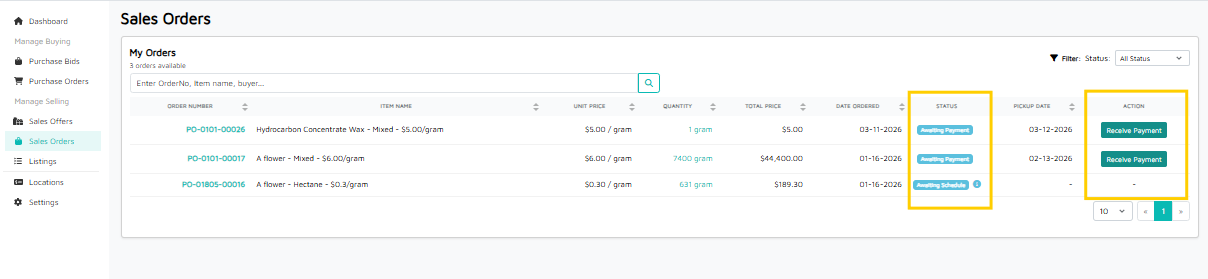
- Awaiting Payment: The product may have been delivered or is in transit, but payment has not yet been recorded.
- Action: Click "Receive Payment" once you have verified the funds have been collected.
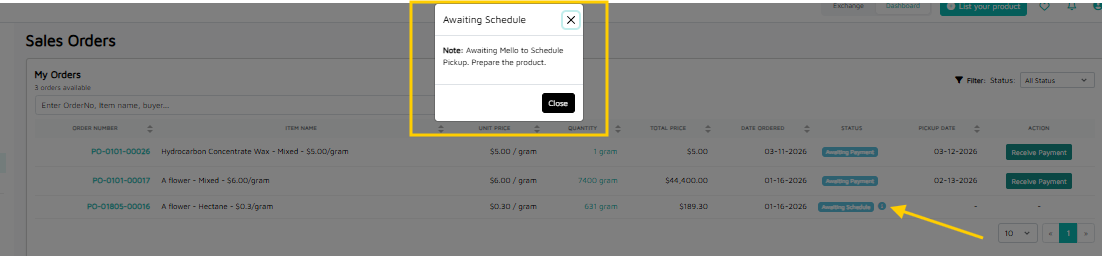
- Awaiting Schedule: The order is confirmed, but a transport date has not yet been set by Mello Admin.
- Action: No immediate action for the seller; wait for Mello Admin to assign a pickup date.
- Info Icon (i): Hover over the small blue "i" icon next to a status to see additional notes regarding why an order might be held up.