Cultivera Exchange (Seller): Manage Selling - Listings
 Updated
Manage Selling - Listings Page
This guide covers the Listings page within the Cultivera Exchange. This page is the primary workspace for sellers to manage their active inventory, finalize drafts, and monitor the approval status of new submissions.
Approved & Listed
The top section displays products that have been successfully processed and are either currently live or available to be made live.
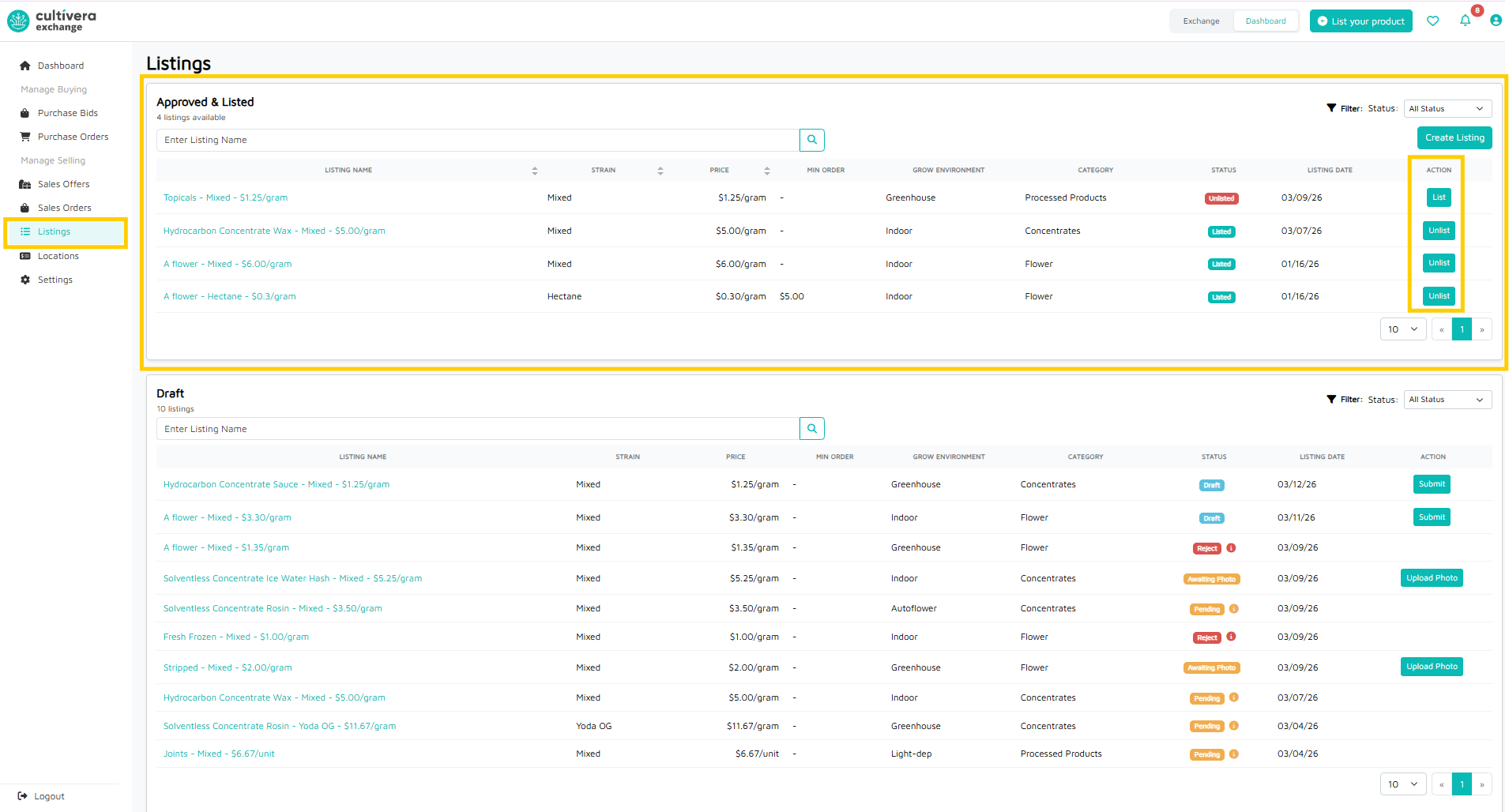
- Listed: These products are currently visible to buyers on the Cultivera Exchange.
- Unlisted: These products are approved but currently hidden from buyers.
- Action Column:
- Click "Unlist" to temporarily hide an active product (e.g., if you are running low on stock).
- Click "List" to move an unlisted product back into the Cultivera Exchange.
Drafts & Pending Submissions
The bottom section is your "Work in Progress" area. Items here are not yet visible to buyers and require further action.
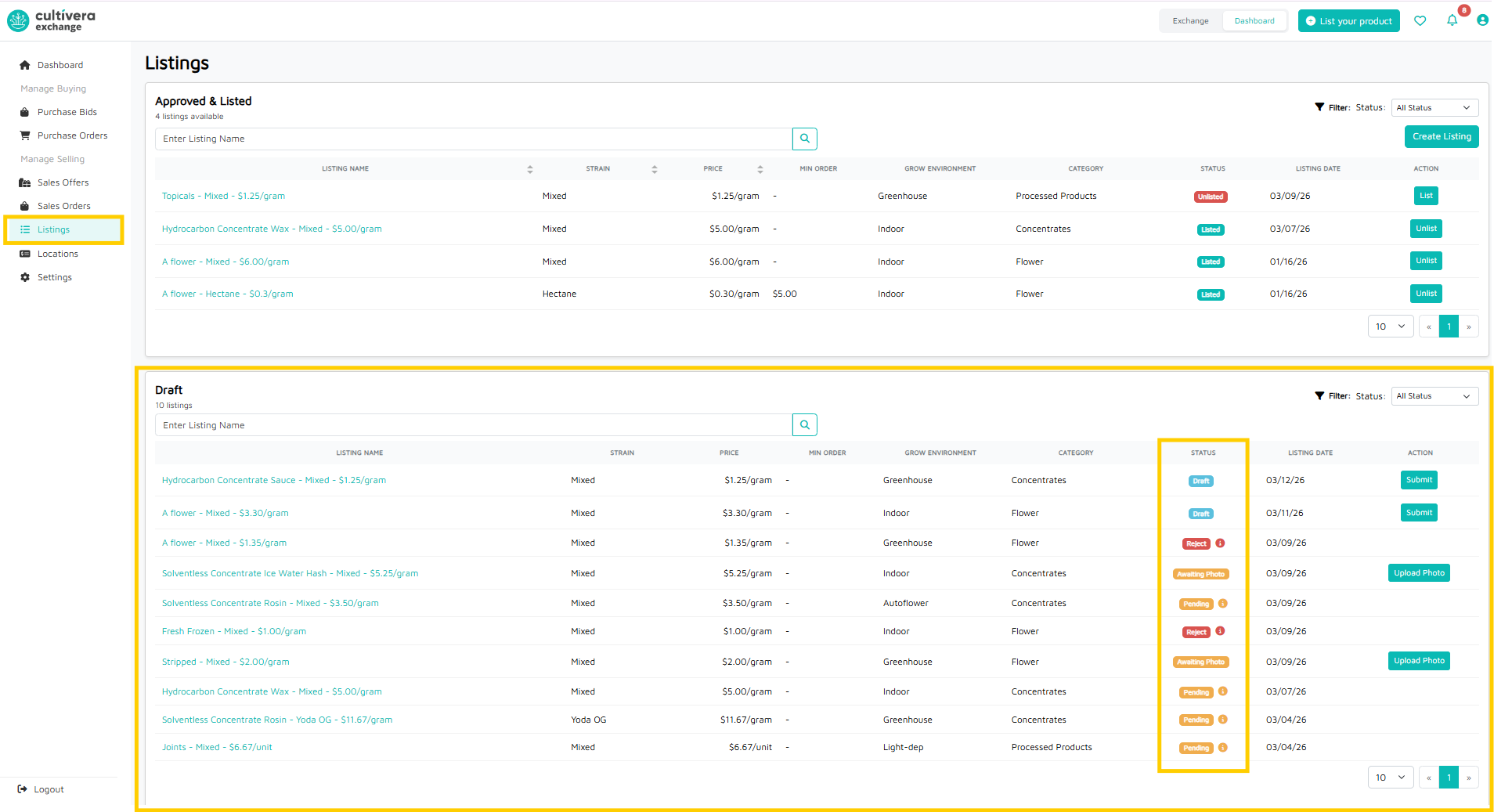
Draft Statuses & Actions
Status | What it means | Action Required |
Draft | The listing has been started, but hasn't been sent to Mello Admin. | Click "Submit" to send it for review. |
Awaiting Photo | The listing is complete except for the image. | Click "Upload Photo"; listings cannot go live without a photo. |
Pending | The listing is submitted and waiting for Mello Admin approval. | No action required; wait for the status to change to "Listed." |
Reject | The Mello Admin denied the listing. | Click the "i" icon to see the reason, fix the issue, and resubmit. |
Column Definitions
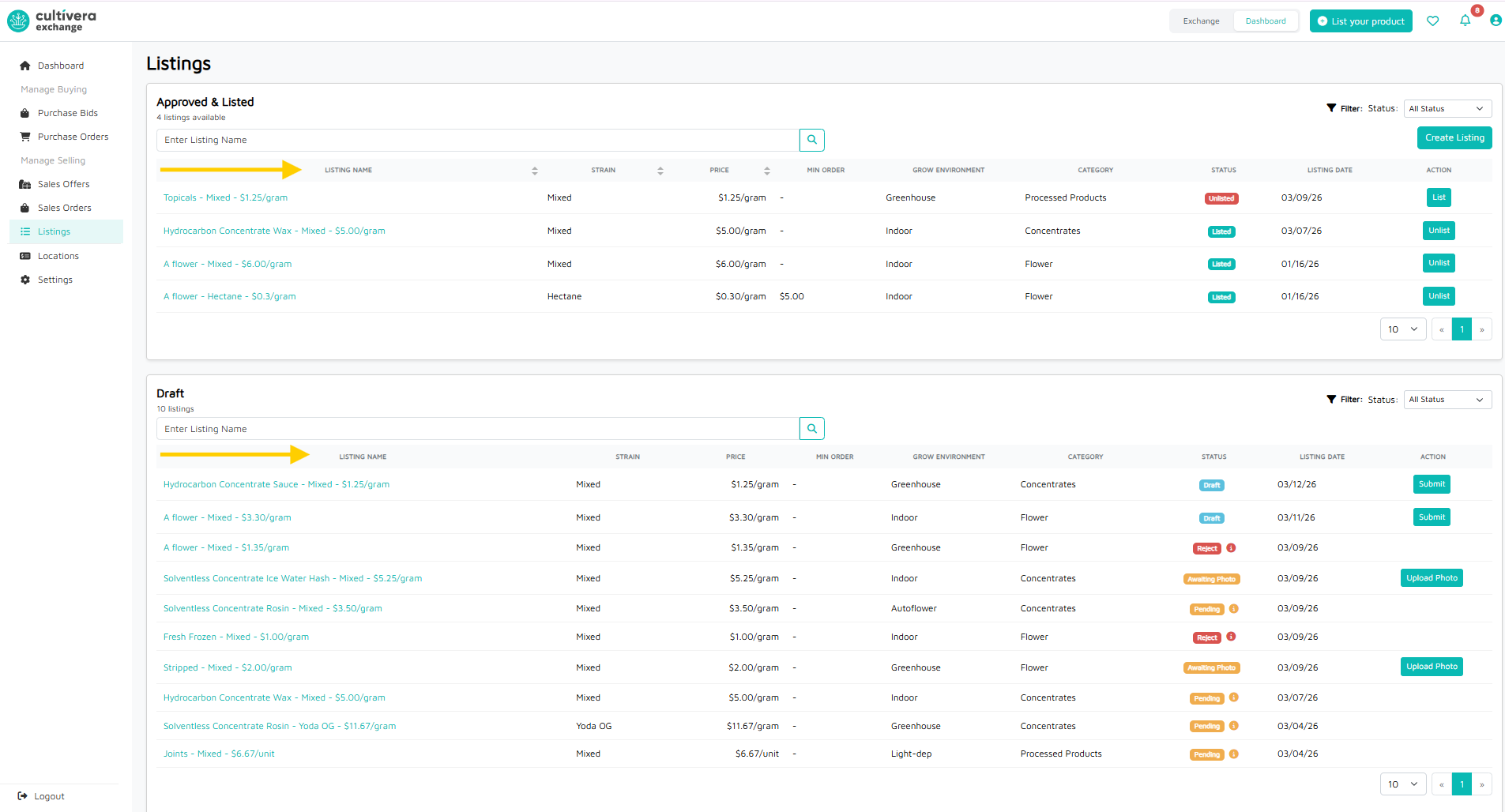
- Listing Name: The title of your product as seen by buyers.
- Strain: The specific cultivar or variety.
- Price: Your asking price per unit/gram.
- Min Order: The minimum amount a buyer must purchase to place an order.
- Grow Environment: The cultivation method (e.g., Indoor, Greenhouse).
- Category: The product classification (e.g., Flower, Concentrates).
- Status: Current status of the listing.
- Listing Date: The date the entry was originally created.
- Action: Submit the listing for approval
