Cultivera Exchange (Buyer): Dashboard - Manage Buying - Purchase Bids
 Updated
Dashboard - Manage Buying - Purchase Bids
This guide provides an overview of the 'Manage Buying > Purchase Bids' section within the Cultivera Exchange Dashboard.
This section allows you to view any bids you have placed on the Cultivera Exchange.
Search and Filters
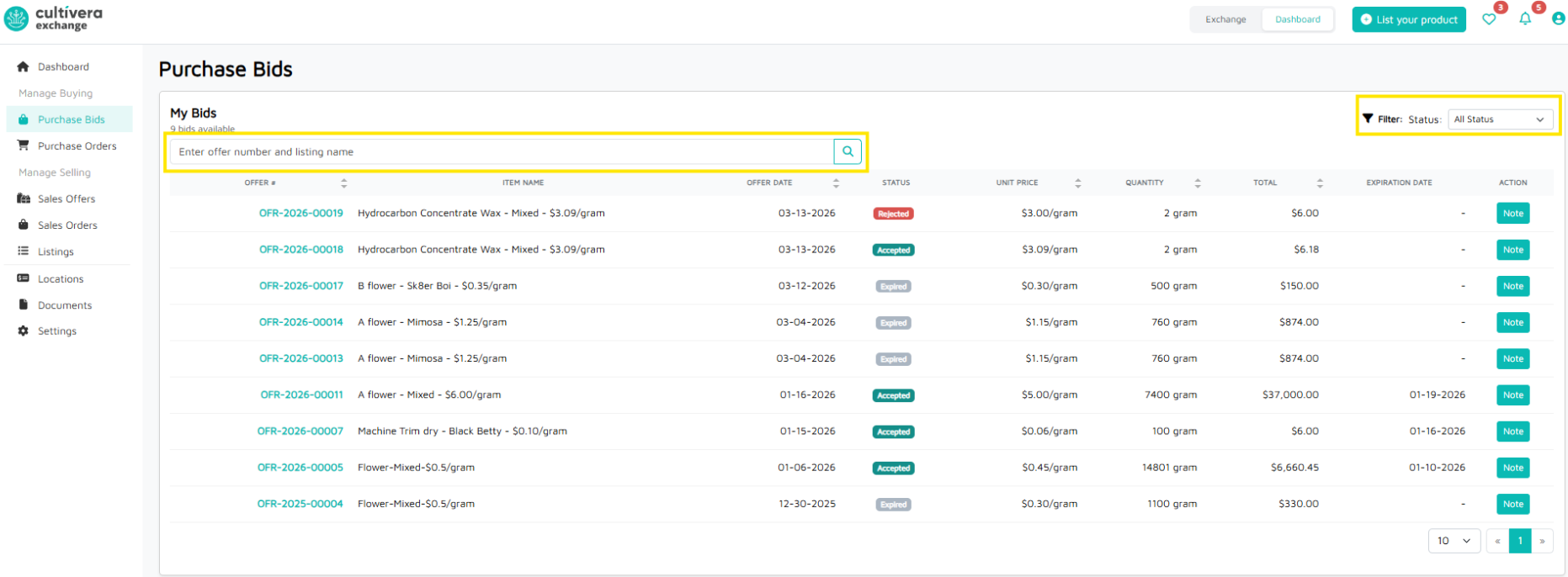
- Search Bar: Quickly find a specific offer by typing the Offer Number or the Listing Name.
- Status Filter: Use the dropdown at the top right to filter your view by statuses like Submitted, Accepted, Rejected, Expired, etc.
Purchase Bids Data Table
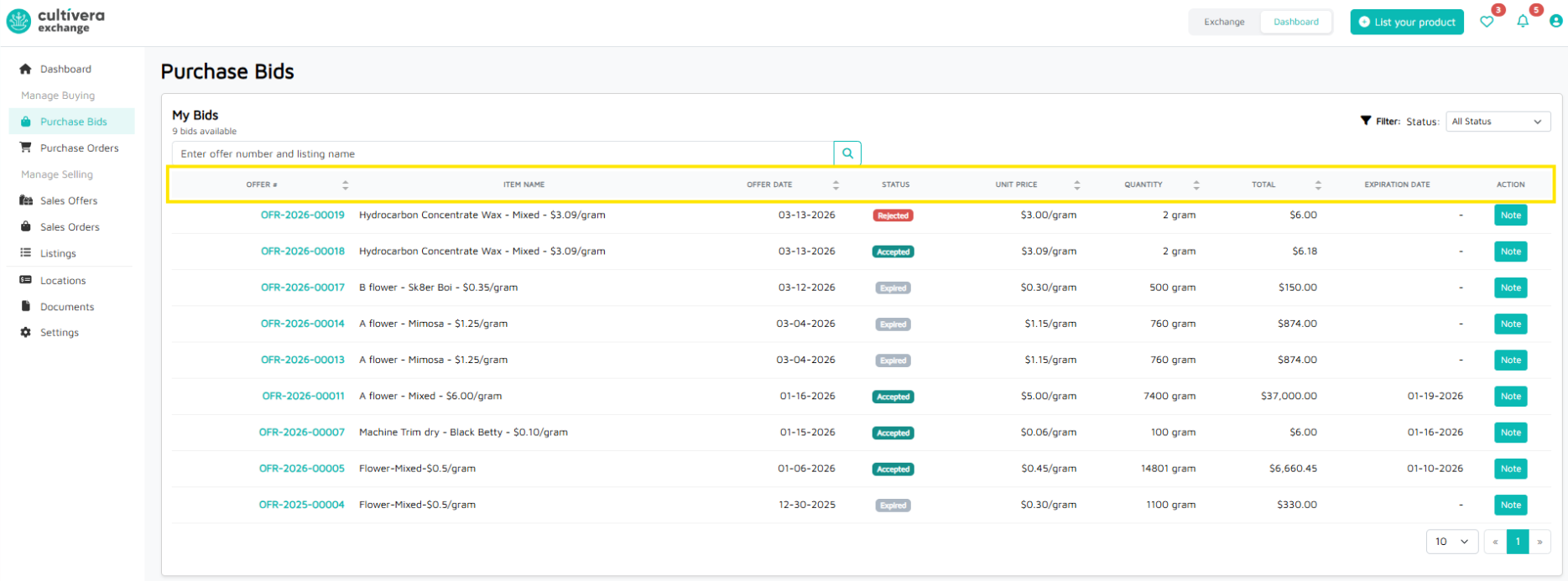
Column | Description |
Offer # | The unique ID# for the negotiation. Clicking this link shows the Offer Detail. |
Item Name | The name of the ordered product as it appears on Cultivera Exchange. |
Offer Date | Date the bid was submitted to the seller on Cultivera Exchange. |
Status | The current state of the negotiation. |
Unit Price | The unit price bid accepted by the seller. |
Quantity | The total amount of product the buyer wants to purchase. Clicking this link shows the Inventory Details. |
Total | The final invoice amount (Quantity × Unit Price). |
Expiration Date | When submitting a bid, buyers can select an expiration countdown (e.g., "Expires in 3 days") for the bid. |
Action | Buyers can view any notes added to the bid/offer when it was submitted to the seller. Clicking "Note" will pop up a window to view any notes added to the bid/offer. |
