PRO (WA): Updating Inventory Type for Products
 Updated
Updating Product Inventory Type
The inventory type assigned to a Product cannot be updated from the Product Details page, and can only be updated via Manage Menu.
Follow these steps to update the inventory type for existing products in Cultivera PRO.
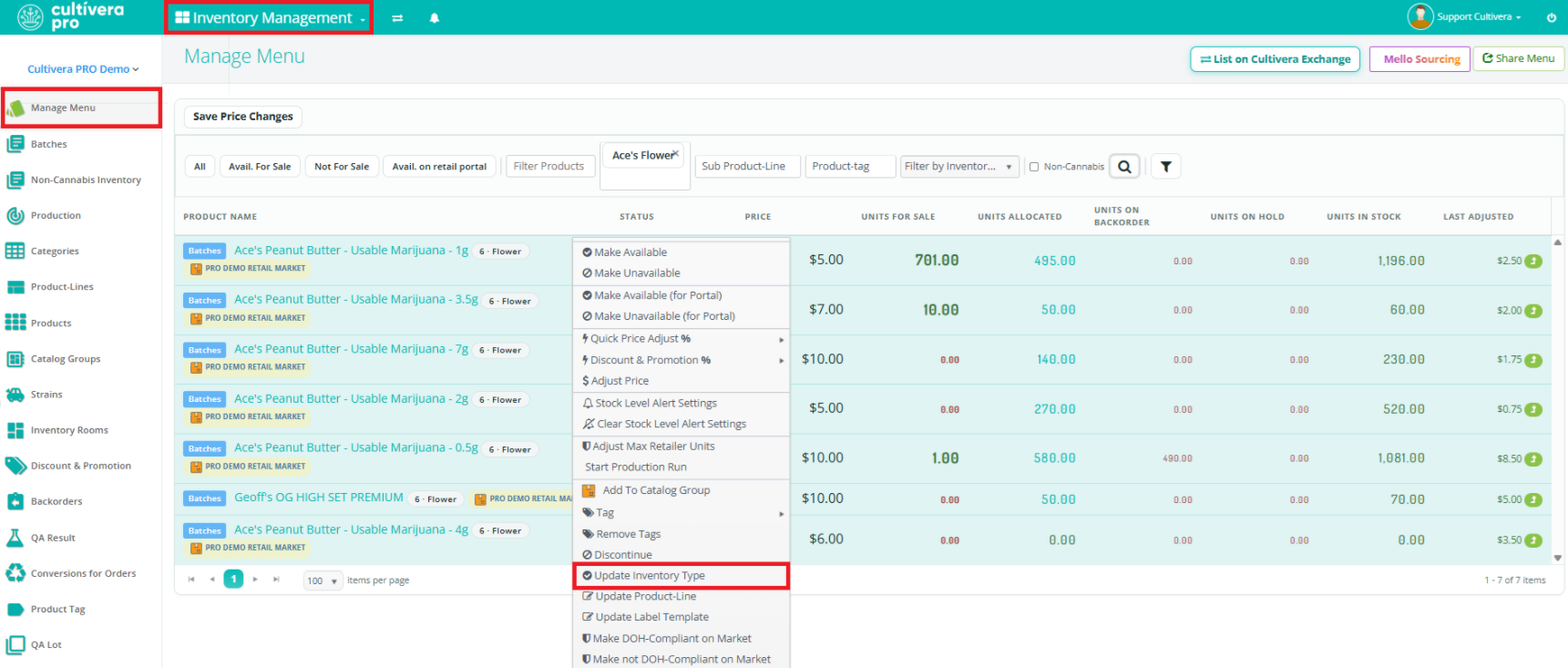
- Navigate to Inventory Management > Manage Menu.
- Filter for the product(s) in question.
- Right-click on the product(s) and select "Update Inventory Type".
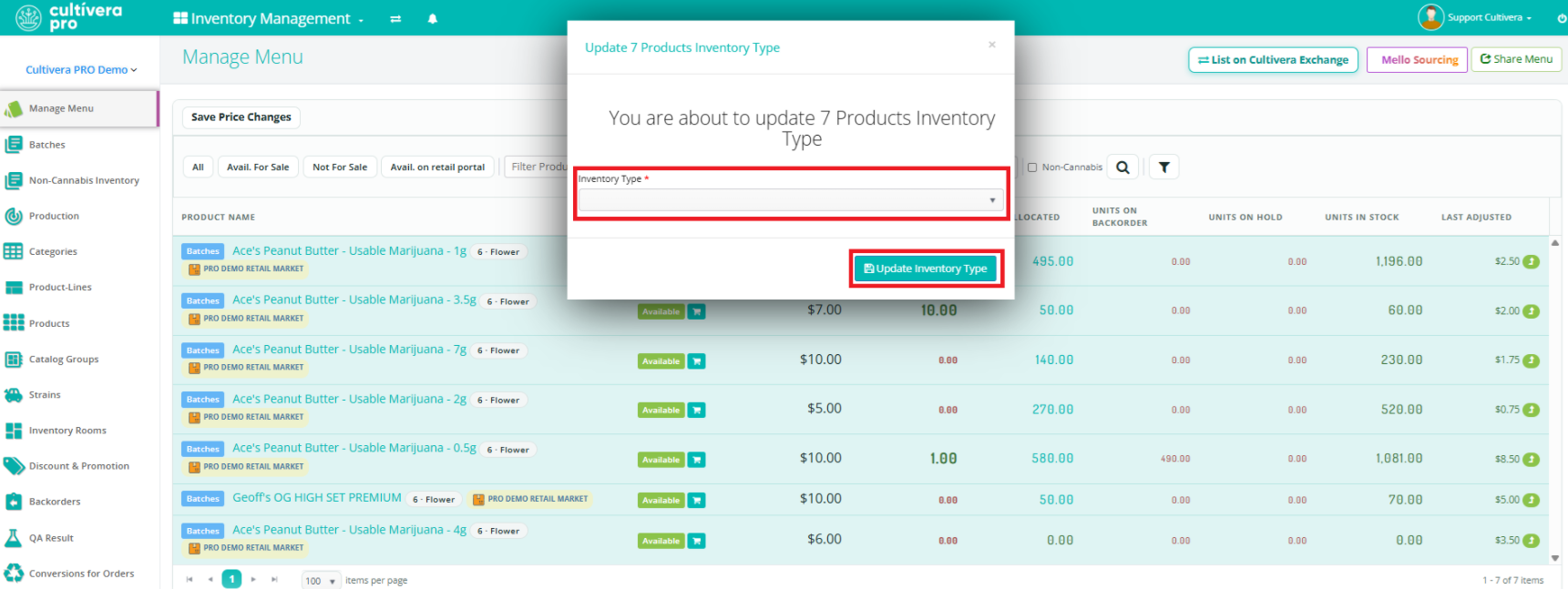
- Select the intended Inventory Type, and then select 'Update Inventory Type'.
 The Inventory Type is now displayed on the Manage Menu page next to the Product Name. This allows a quick/easy way to confirm the intended inventory type is assigned to the products in question.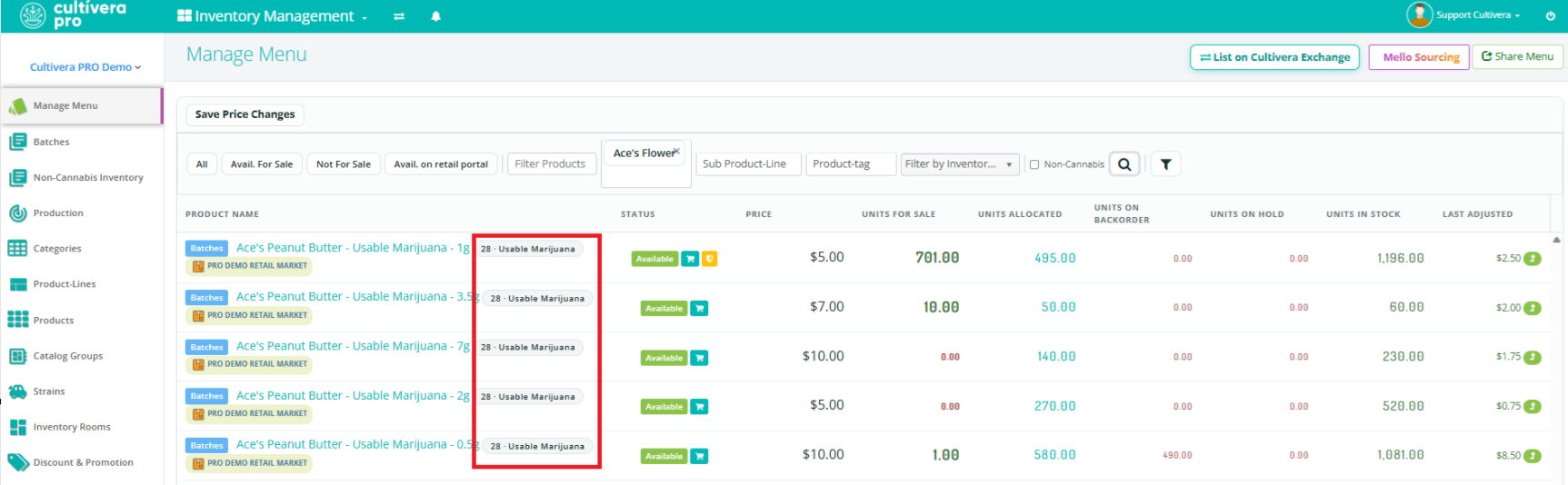
If you have any questions, please don’t hesitate to reach out to our support team at support@cultivera.com.
