Follow these instructions to create a new Harvest in Cultivera Pro, for those in the state of Washington.
First, Navigate to Grow > Plants.
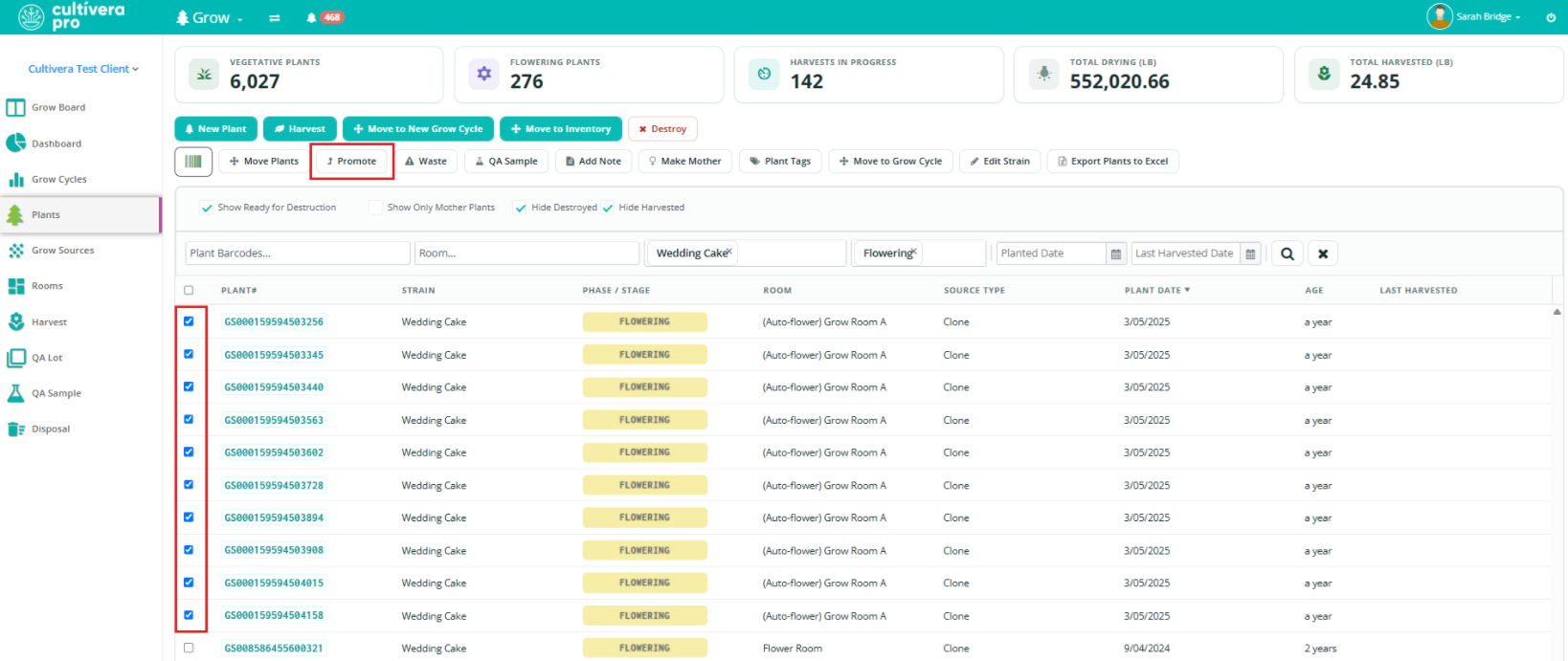
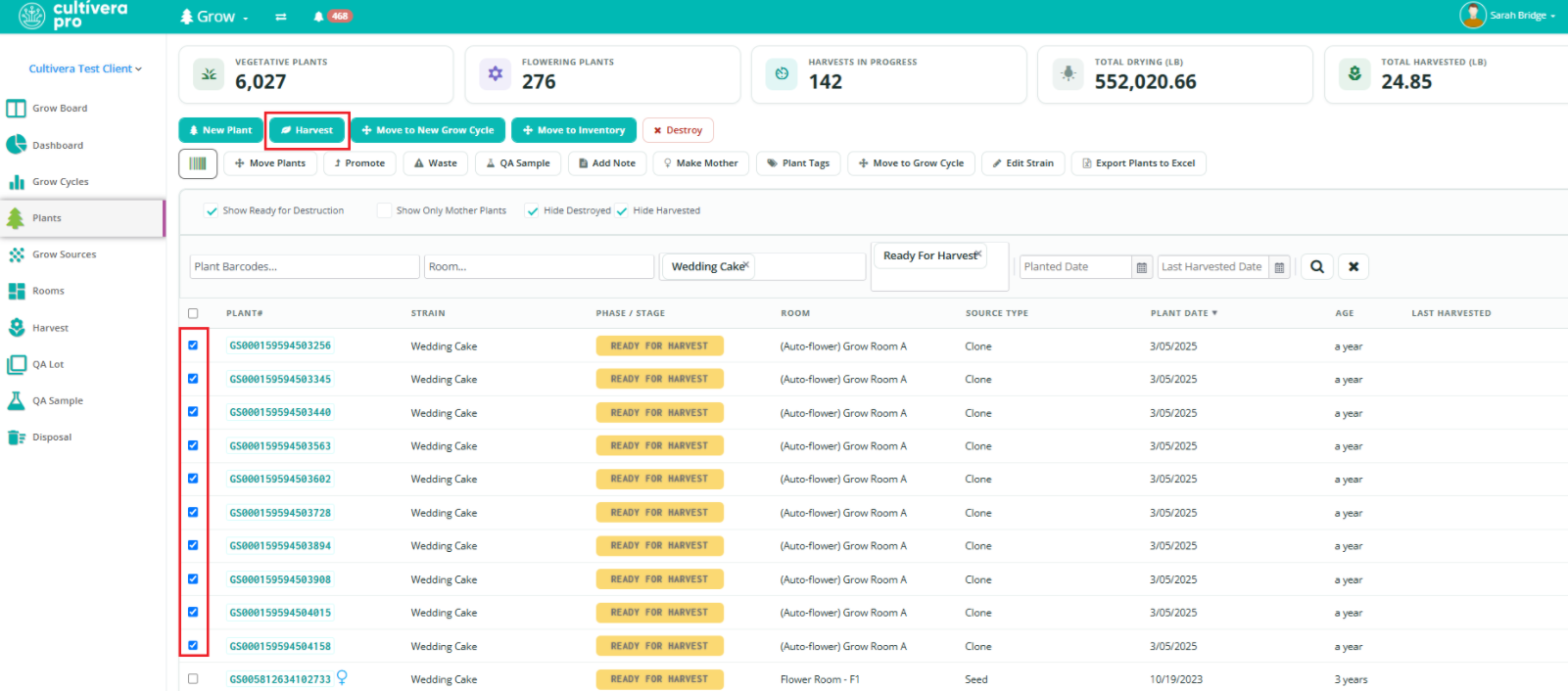
Select the plants intended to be harvested, then select “Promote”.
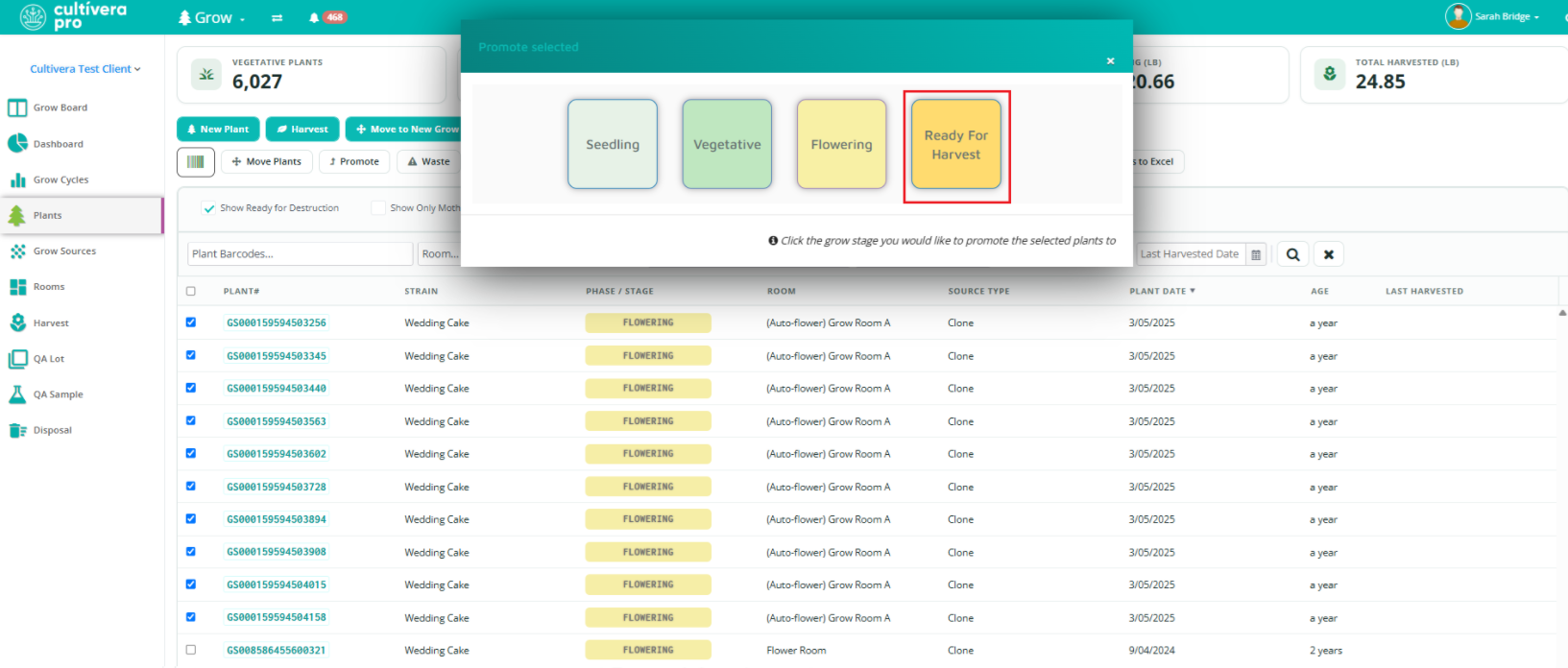
Promote to “Ready for Harvest”.
Plants cannot be harvested in Cultivera until they are promoted to this stage.
Select the plants again and select "Harvest".
Enter the following information:
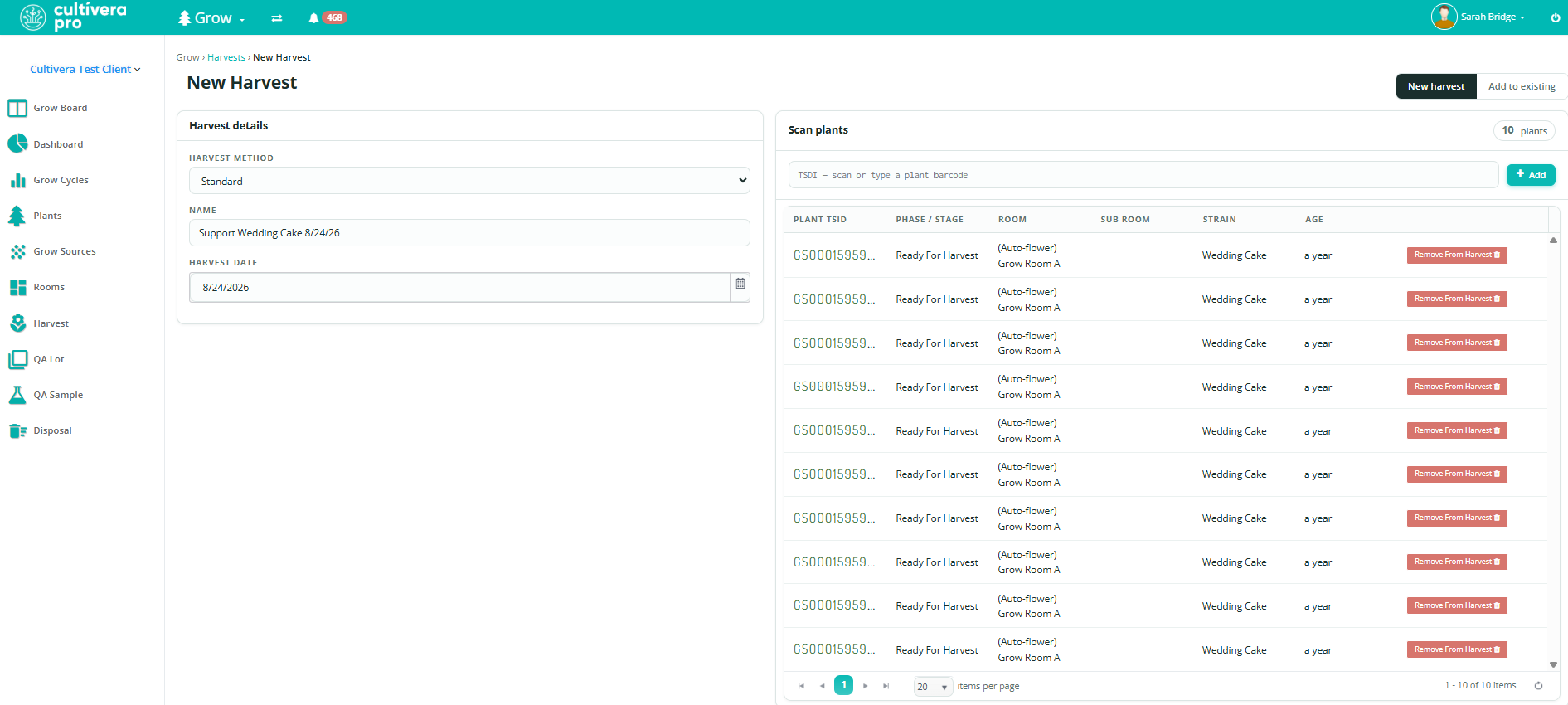
Harvest MethodDetails
"Standard" means plants are fully harvested and cannot be harvested from again. "Manicure" means plants are still growing and can be harvested from again.
New Harvest or Add to Existing
Harvest Name
Harvest Date
Plants can be added/removed from the new harvest screen before selecting 'Create Harvest' if needed.
To add more plants to the harvest, search by the plant ID and select "+Add".
To remove plants from the harvest, select the red "Remove from Harvest" to the right of the specific plant ID.
Select 'Create Harvest' to start the harvest.
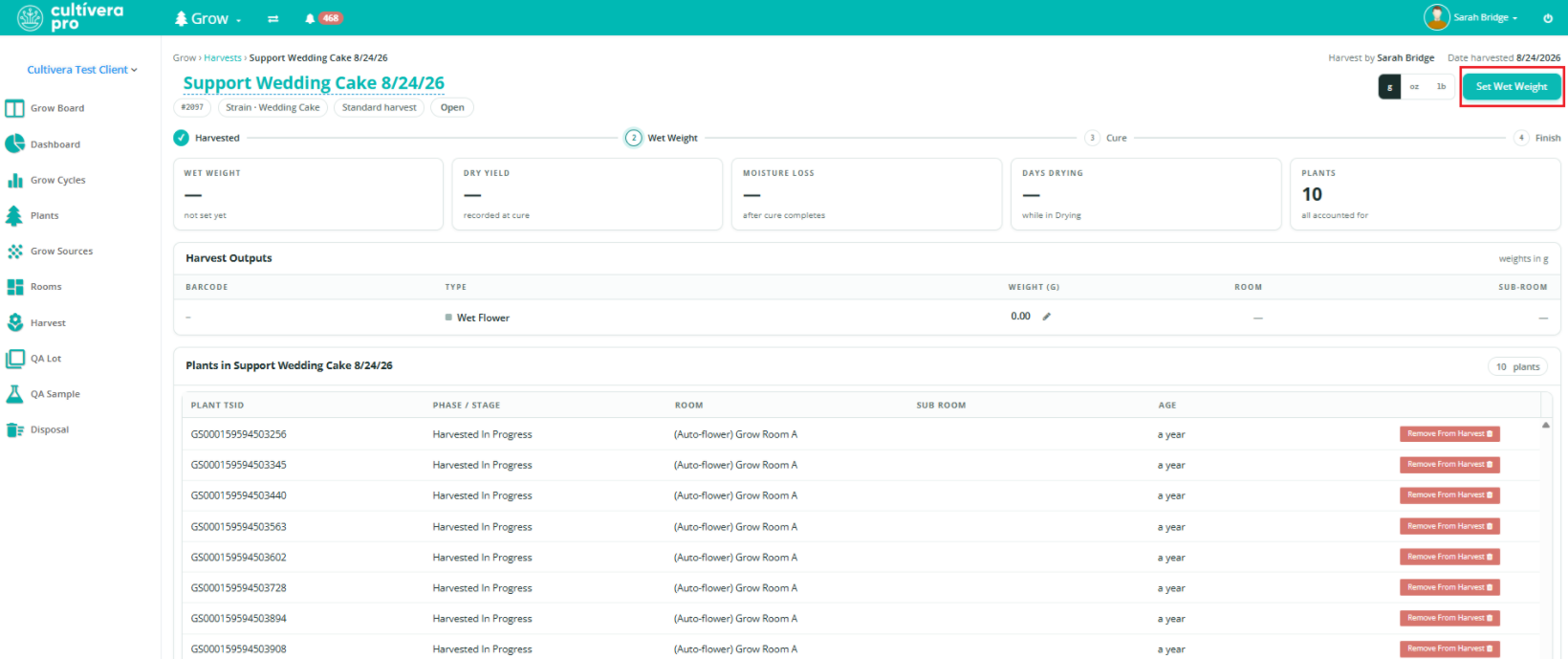
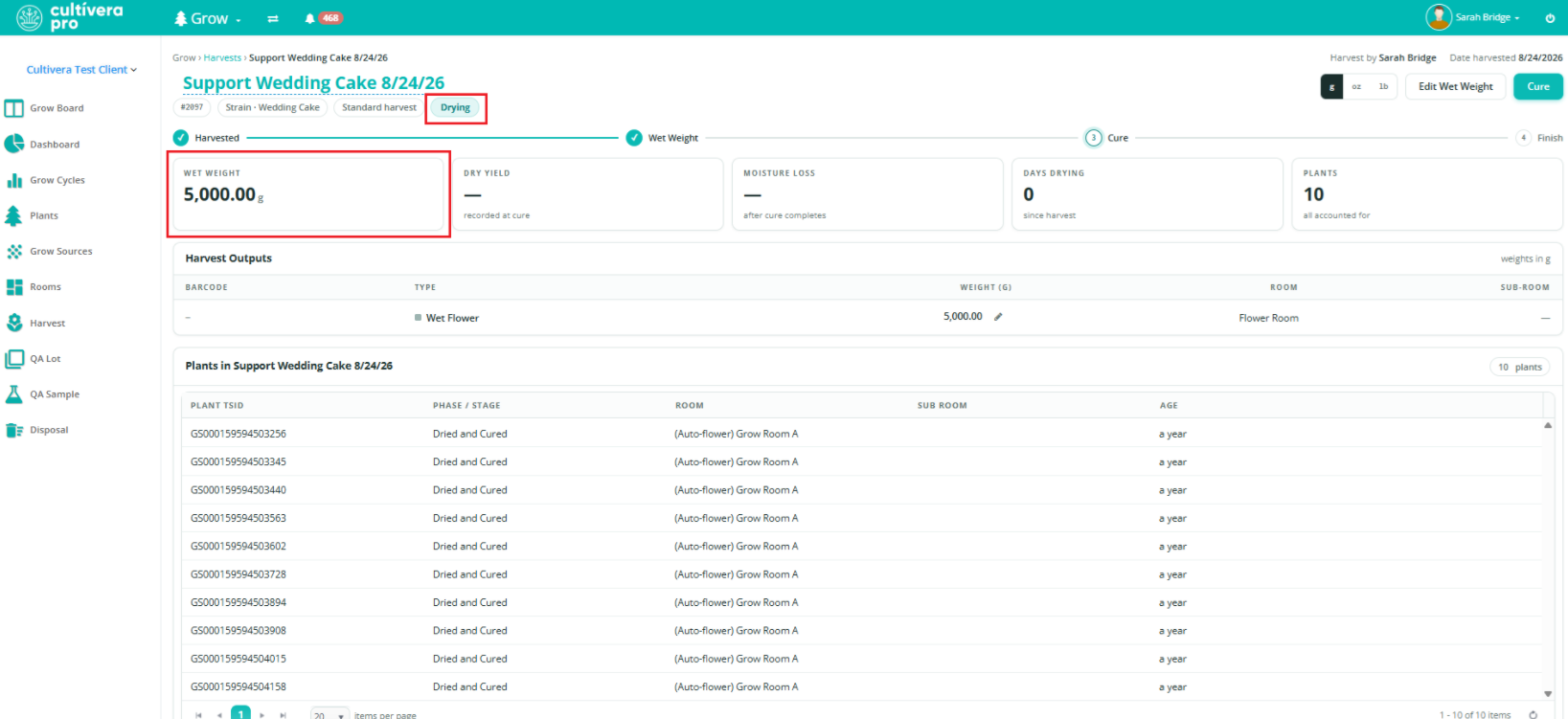
On the Harvest Details page, select "Set Wet Weight" (upper right corner).Once the Wet Weight has been recorded, the status will update to "Drying" and the cure weights can be entered when ready.
Curing a Harvest
Please refer to the article How to Cure a Harvest (WA) to learn more about entering the Cure weights for a harvest.
 Updated
 Plants can be added/removed from the new harvest screen before selecting 'Create Harvest' if needed.