POS - Terminal Troubleshooting: Offline Mode
 Updated
POS - Terminal Troubleshooting: Offline Mode
Offline Mode allows Cultivera POS terminal users on iPad and Android devices to continue processing sales during temporary internet outages and service interruptions. When enabled, the POS operates independently of the back office, allowing transactions to continue uninterrupted. All orders are securely stored locally on the device and automatically synced to the back office once connectivity is restored and the terminal is returned to online mode.
This feature is intended as a short-term solution when terminals are unable to communicate with the back office due to unstable or unavailable connectivity.
When to Use Offline Mode
You may enable Offline Mode if you encounter unstable or lost internet connection, and any back office connectivity-related problems preventing the completion of orders.
Offline Mode ensures sales can continue while connectivity issues are resolved.
Enabling Offline Mode
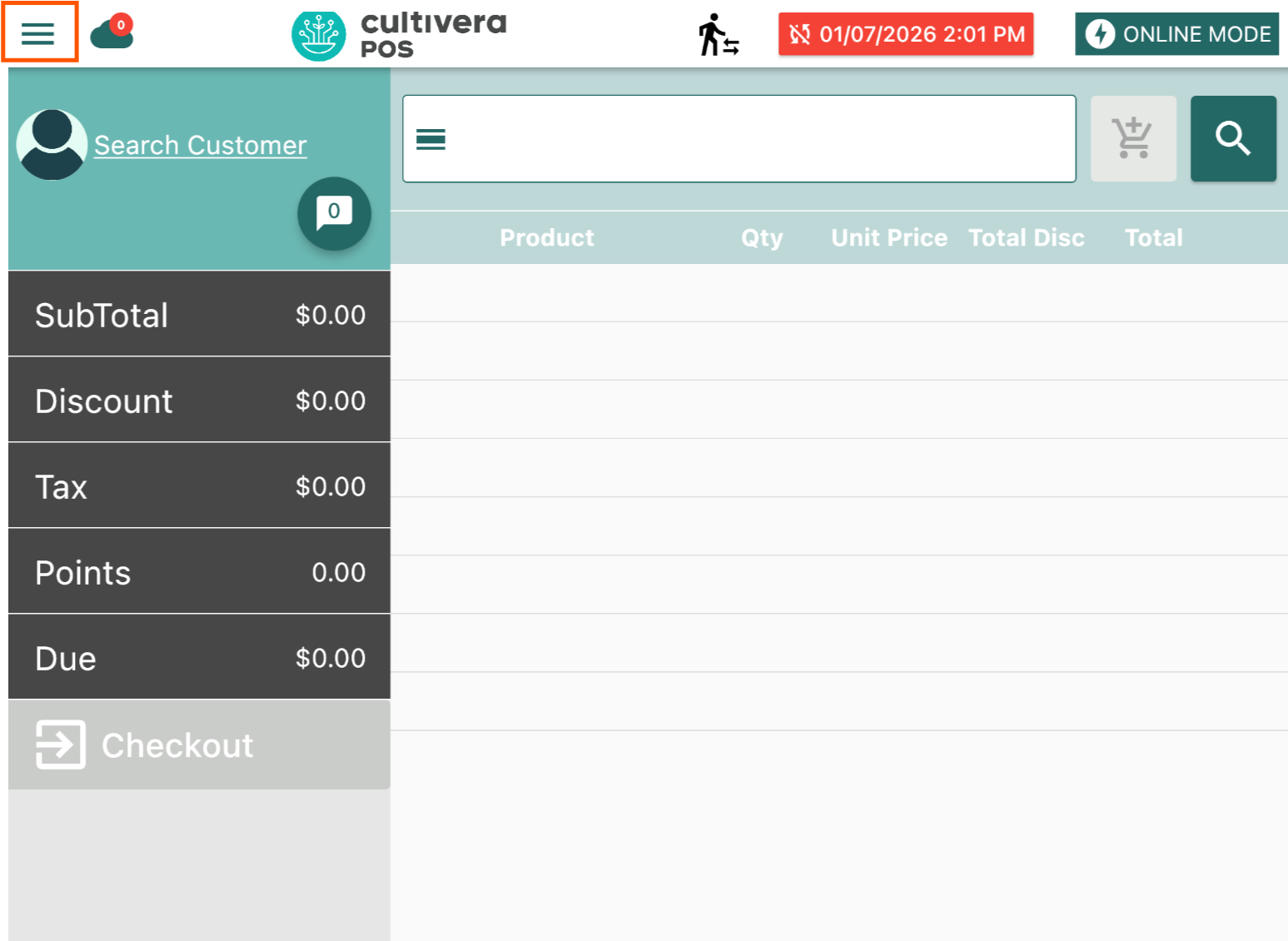
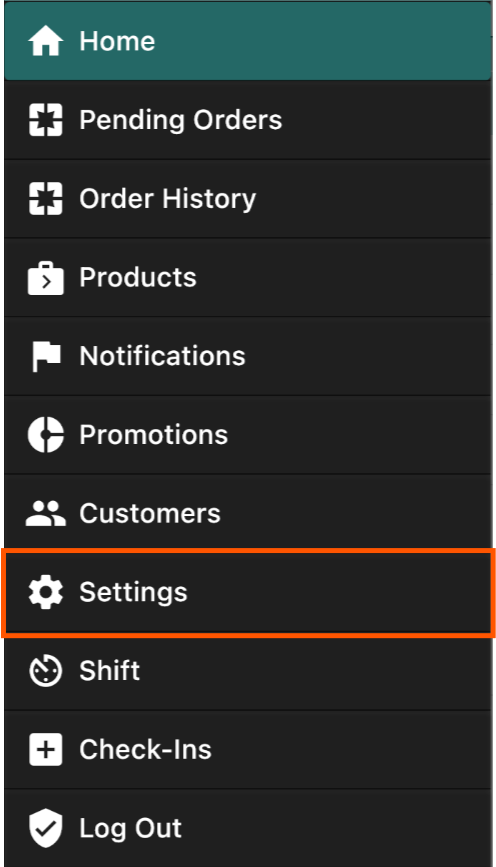
- On the Cultivera POS app, select the menu button.
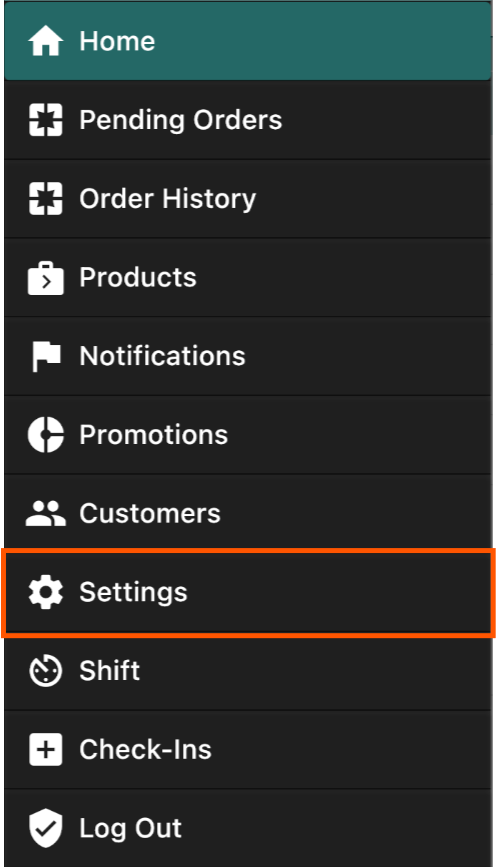
- Navigate to Settings.
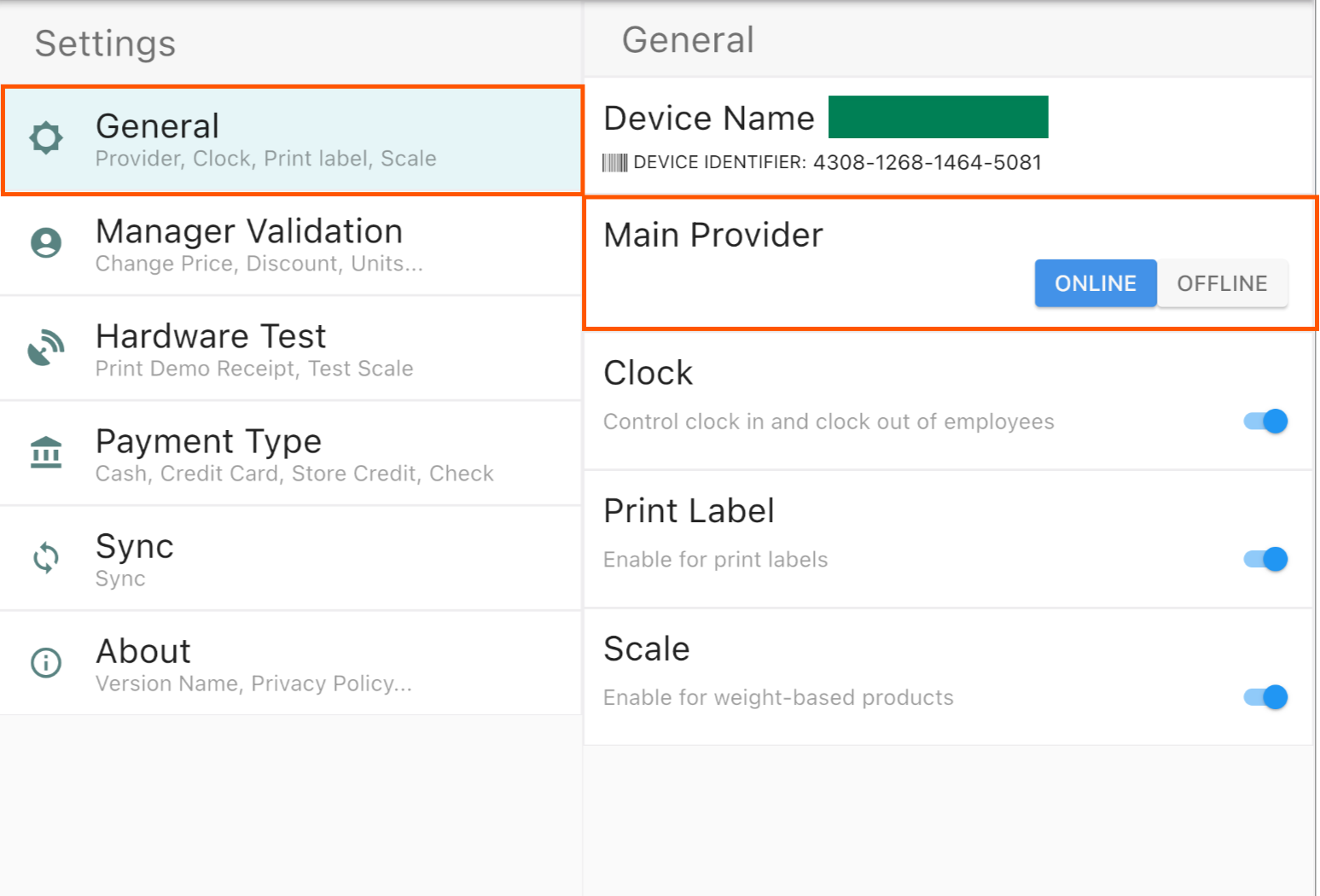
- On the General Settings page, locate the Main Provider option.
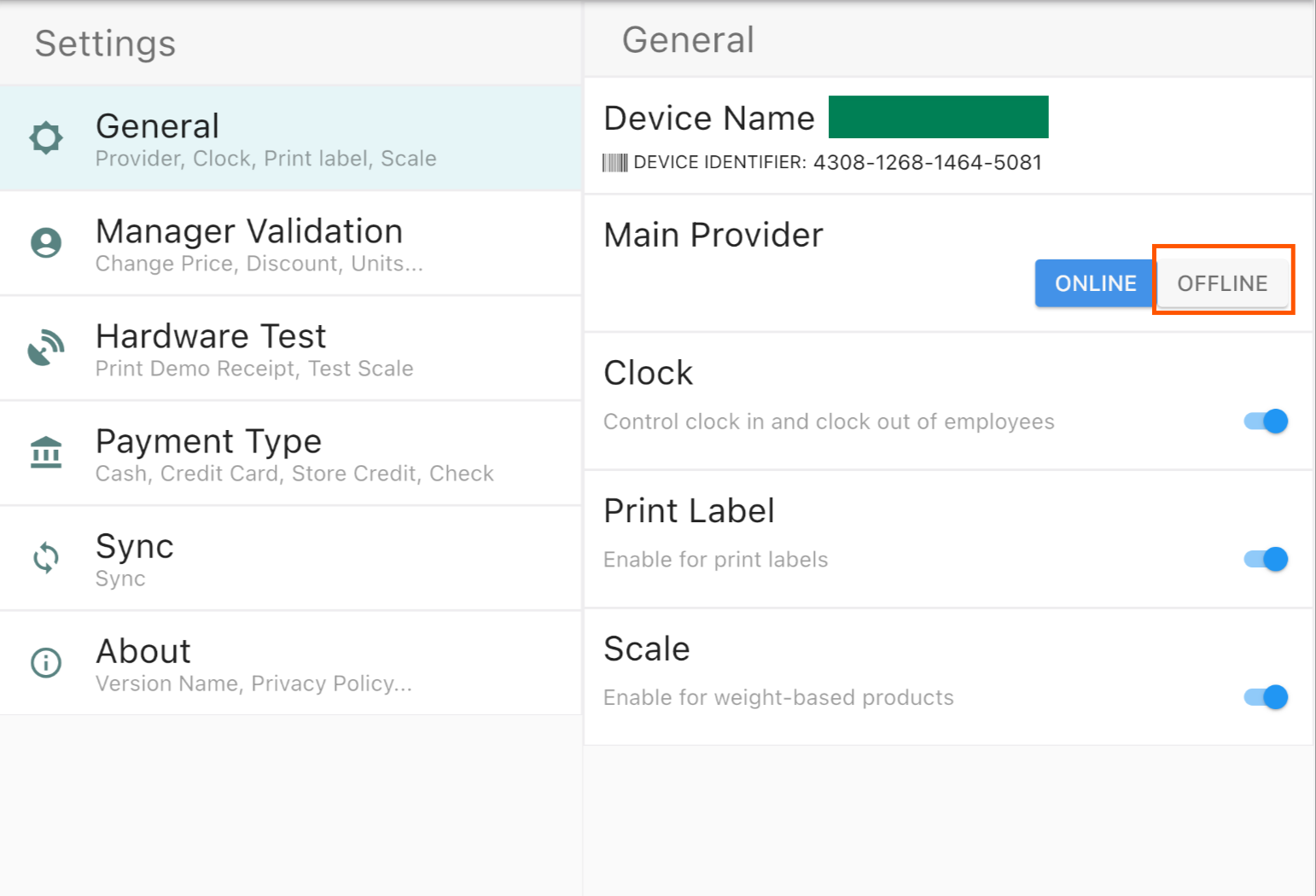
- Select Offline.
- Confirm by selecting Go Offline.

Once enabled, an Offline Mode indicator will appear in the top-right corner of the application.
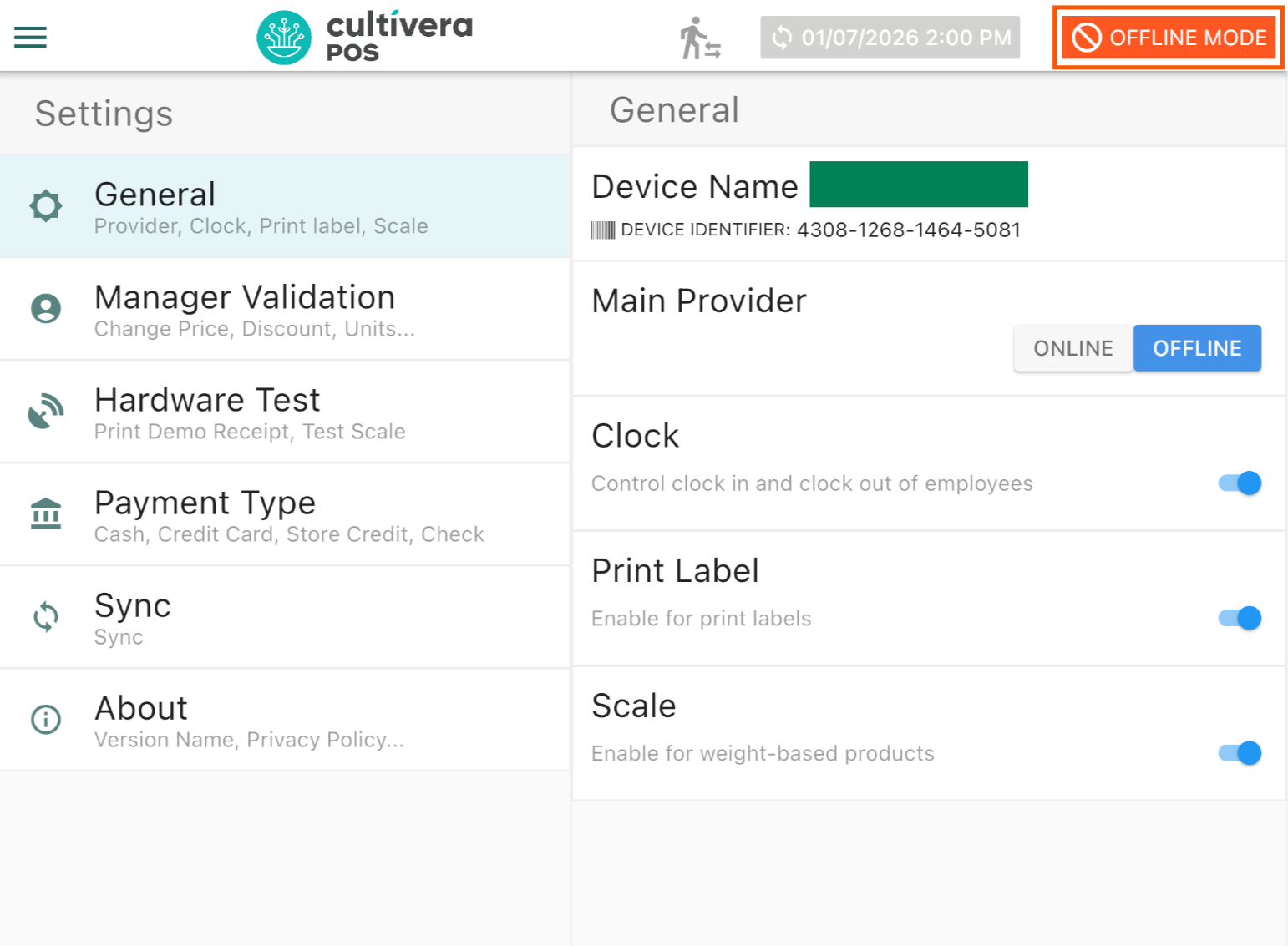
You may return to the home screen and continue processing sales as normal.
Operating in Offline Mode
- Sales and orders can be completed without interruption.
- All transactions are stored locally on the device until the connection is re-established.
Returning to Online Mode
After the internet or service interruption has been resolved:
- Navigate back to Settings within the Cultivera POS app.
- On the General Settings page, select Online.
- Confirm by selecting Go Online.

Once the terminal is placed back into Online Mode:
- All locally stored orders will automatically sync to the back office.
- Shift details and sales data will be reported as expected.
- Normal online functionality will resume.
Important Notes About Offline Mode
- Offline Mode is intended for temporary use only.
- Terminals should be returned to Online Mode as soon as connectivity is restored to ensure accurate sales reporting and system synchronization.
- Do not operate in Offline Mode longer than necessary, as certain back-office-dependent features may be unavailable.
Offline Mode provides a reliable fallback that allows Cultivera POS users to maintain uninterrupted sales during local internet outages and service interruptions. By storing transactions locally and syncing them once connectivity is restored, this feature helps ensure smooth business operation without resorting to manual analog methods.
